Beyond the Chatbot: Practical AI Use Cases for Your Business
Everyone's adding "AI-powered" to their marketing, but many businesses still struggle to name a useful AI workflow. Here are practical places to look beyond customer service bots.
Contents
Everyone's adding "AI-powered" to their marketing, but many businesses still struggle to name a useful AI workflow. Here are practical places to look beyond customer service bots.
Share this article
The AI Disconnect
Everyone's adding "AI-powered" to their marketing. Scroll through any software vendor's website and you'll find the phrase plastered across headlines, feature lists, and pricing tiers. AI is the new "cloud-native"—a buzzword that signals modernity without necessarily delivering value.
But here's the uncomfortable truth: Many businesses still struggle to name a single AI workflow that measurably improved day-to-day operations.
The proof? Look at recent reporting from CalMatters. In March 2026, the outlet reported that three California community college districts responding to its survey paid roughly $151,000 to nearly $500,000 per year for AI chatbot contracts, while testing found the bots handled general questions better than specific campus questions. One East Los Angeles College bot even named the wrong college president. CalMatters' report is a useful reminder: an AI interface is not the same as a reliable business system.
This isn't an isolated failure. It's a pattern. Businesses are investing in AI theater—solutions that look intelligent but deliver frustration. The problem isn't AI itself. It's that we've fixated on the wrong application.
Customer service chatbots were supposed to be AI's killer app. Instead, they've become a cautionary tale.
The Chatbot Mirage
Let's be honest about what most AI chatbots actually are: fancy if-statements dressed up as intelligence.
They work fine for simple, predictable queries. "What's your return policy?" "How do I reset my password?" These are database lookups with a conversational interface. But the moment a customer deviates from the script—asking about an edge case, expressing frustration, or needing nuanced guidance—the illusion shatters.
The result is a familiar frustration loop:
- Customer asks a question the bot doesn't understand
- Bot provides a generic, unhelpful response
- Customer rephrases, growing irritated
- Bot escalates to a human—who now has an annoyed customer and zero context
- Customer wonders why they couldn't just talk to a person from the start
This isn't AI failure. It's application failure. We've taken a technology capable of processing millions of documents, recognizing complex patterns, and generating novel insights—and used it to build slightly smarter phone trees.
The real tragedy? While businesses pour resources into chatbots that frustrate customers, they're missing AI applications that could transform their operations.
Where AI Actually Delivers: Three Practical Applications
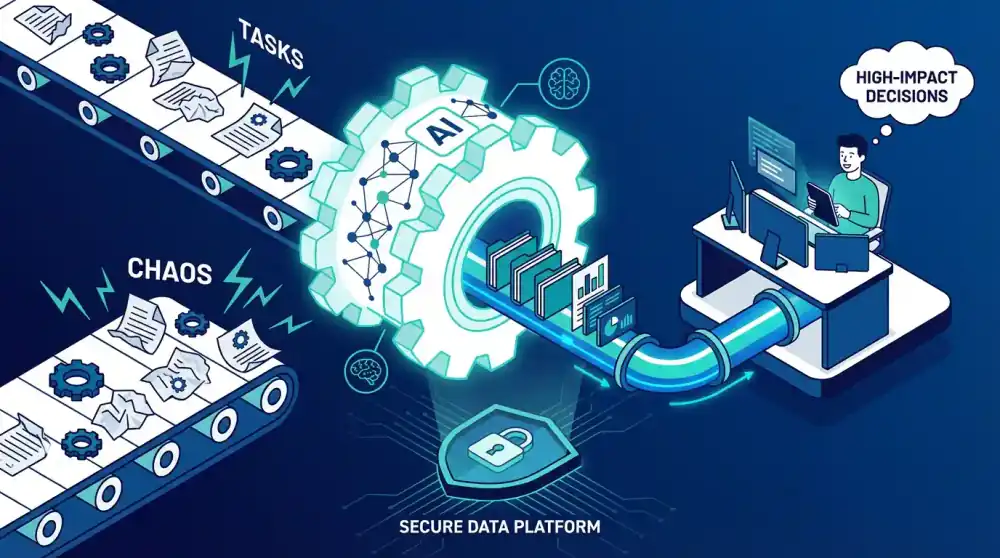
The businesses seeing useful results from AI aren't using it to replace human conversation. They're using it to augment human capability in three specific domains.
1. Internal Knowledge Bases: Your Company's Brain, Searchable
Here's a scenario that plays out in every business, every day:
A new employee needs to understand how to process a specific type of client request. They ask a colleague, who points them to a document from 2019. That document references a process that changed in 2021. The new employee follows outdated instructions, creates a problem, and spends three days fixing it.
The cost: Three days of work, damaged client relationship, frustrated employee.
Now imagine the same scenario with an AI-powered knowledge base:
The new employee asks a natural language question: "How do I process a priority client request with custom billing terms?" The AI searches across documents, emails, Slack threads, and ticket histories. It finds the current process, notes the 2021 changes, and provides a step-by-step answer with links to relevant templates.
Time to answer: 30 seconds. Accuracy: Current. Employee confidence: High.
This isn't science fiction. Modern Retrieval-Augmented Generation (RAG) systems combine large language models with your company's actual documents. The AI doesn't hallucinate answers—it retrieves information from your institutional knowledge and presents it in context.
The business impact:
- New employees reach full productivity in weeks, not months
- Institutional knowledge survives employee turnover
- Decisions happen faster with better information
- Training costs drop significantly
For a mid-sized consulting firm, a realistic pilot target might be reducing new-consultant onboarding from six weeks of ad hoc shadowing to a structured 10-day ramp for common project tasks. That is not a guaranteed benchmark. It is the kind of measurable hypothesis worth testing before expanding the system.
2. Intelligent Content Processing: From Documents to Data
Consider how much of your business runs on documents: invoices, contracts, emails, reports, forms. Now consider how much human time goes into reading, extracting, and entering data from those documents.
A typical accounts payable process:
- Invoice arrives via email
- Employee opens PDF, reads details
- Manually enters vendor, amount, date, line items into accounting system
- Cross-references with purchase order
- Routes for approval
Time per invoice: 15-20 minutes. Error rate: 2-5%. Employee satisfaction: Low.
AI content processing changes the equation:
- Invoice arrives, AI extracts all relevant data automatically
- System matches against purchase orders and flags low-confidence cases
- Exceptions flagged for human review (typically <5% of invoices)
- Approved invoices flow straight to payment
Time per invoice: A few minutes of human oversight once the workflow is tuned. Quality goal: fewer manual keying errors and clearer exception handling. Employee focus: analysis and vendor follow-up, not repetitive data entry.
This isn't just about speed. It's about capability. AI can process:
- Handwritten forms (with OCR + AI)
- Multi-page contracts (extracting key terms, dates, obligations)
- Email threads (identifying action items, deadlines, decisions)
- Images and scans (converting to structured data)
For a manufacturer processing a steady flow of supplier invoices, a sensible business case could model the current manual hours, the payment-cycle delay, and the share of early-payment discounts being missed. In that model, savings only become credible after you compare before/after processing time, exception rates, discount capture, and implementation cost in the actual finance workflow.
3. AI-Enhanced Workflows: Intelligence at the Process Layer
The most sophisticated AI implementations don't replace human judgment—they orchestrate it.
Consider a typical lead qualification workflow:
Before AI:
- Lead fills out website form
- Form data lands in CRM
- Sales rep reviews lead manually
- Rep researches company, checks fit
- Rep decides whether to pursue
- If yes, rep schedules call, sends materials
- If no, lead sits in CRM untouched
Time per lead: 15-30 minutes. Consistency: Varies by rep. Speed: Hours to days.
With AI enhancement:
- Lead fills out form
- AI instantly enriches data (company size, industry, technographics)
- AI scores lead based on historical conversion patterns
- High-scoring leads trigger automated sequence: personalized email, calendar link, relevant case study
- Medium-scoring leads route to junior rep for qualification call
- Low-scoring leads enter nurture sequence for future follow-up
- All actions logged, measured, optimized
Time per lead: 2 minutes of human review for exceptions. Consistency: Standardized scoring. Speed: Immediate.
The AI isn't making the sale. It's handling the preparation, prioritization, and process so humans focus on conversation, relationship, and closing.
This pattern—AI handling routine decisions and preparation, humans handling exceptions and relationships—applies across functions:
| Function | AI Handles | Humans Focus On |
|---|---|---|
| Finance | Invoice matching, reconciliation, anomaly detection | Vendor negotiations, financial strategy |
| HR | Resume screening, interview scheduling, onboarding paperwork | Candidate conversations, culture fit, development |
| Operations | Inventory forecasting, reorder triggers, delivery optimization | Supplier relationships, process improvement |
| Marketing | Content personalization, A/B testing, lead scoring | Creative strategy, brand positioning, high-value accounts |
The result isn't fewer employees. It's more impactful employees—people spending time on work that requires judgment, creativity, and relationship-building instead of routine processing.
The AI Slop Problem: How to Spot Real Value
Not all AI is created equal. The market is flooded with "AI-powered" solutions that are really just:
- Basic automation with an AI label
- Simple rule engines marketed as machine learning
- API calls to generic models without business-specific training
- Features looking for problems rather than solutions to real pain points
This is AI slop: hype without substance, technology without purpose.
Red Flags to Watch For
| Warning Sign | What It Means | Better Alternative |
|---|---|---|
| "AI-powered" with no explanation | Marketing fluff, not capability | Specific use cases and outcomes |
| No measurable metrics | Can't prove value | Clear before/after measurements |
| Requires massive behavior change | Poor integration | Fits into existing workflows |
| Black-box decision making | No transparency | Explainable AI with audit trails |
| One-size-fits-all solution | Generic, not tailored | Customized to your data and processes |
Green Flags: Signs of Real AI Value
- Specific outcomes: "Reduces invoice processing time from 20 minutes to 2 minutes" not "streamlines operations with AI"
- Measurable impact: Clear baselines for cost, time recovered, risk reduced, or revenue generated
- Self-improving: System gets better with more data and feedback
- Human-in-the-loop: AI handles routine, humans handle exceptions
- Data sovereignty: You control your data, models, and infrastructure
Technical Deep-Dive: How Modern AI Systems Work
For those who want to understand the technology behind the business outcomes:
RAG (Retrieval-Augmented Generation)
├── Vector Database (Pinecone, Weaviate, Qdrant)
├── Embeddings Model (converts text to mathematical vectors)
├── Document Processing (PDF, OCR, structured data extraction)
└── LLM Integration (context-aware response generation)

AI Content Processing
├── OCR (Optical Character Recognition)
├── NLP (Natural Language Processing)
├── Classification Models (document types, priority, routing)
├── Extraction Models (named entity recognition, key-value pairs)
└── Validation Layer (confidence scoring, human review triggers)

Workflow Orchestration
├── Event Triggers (webhooks, schedules, system events)
├── Decision Trees (conditional logic, business rules)
├── AI Agents (autonomous task execution)
└── Human Handoff Protocols (escalation, approval, review)
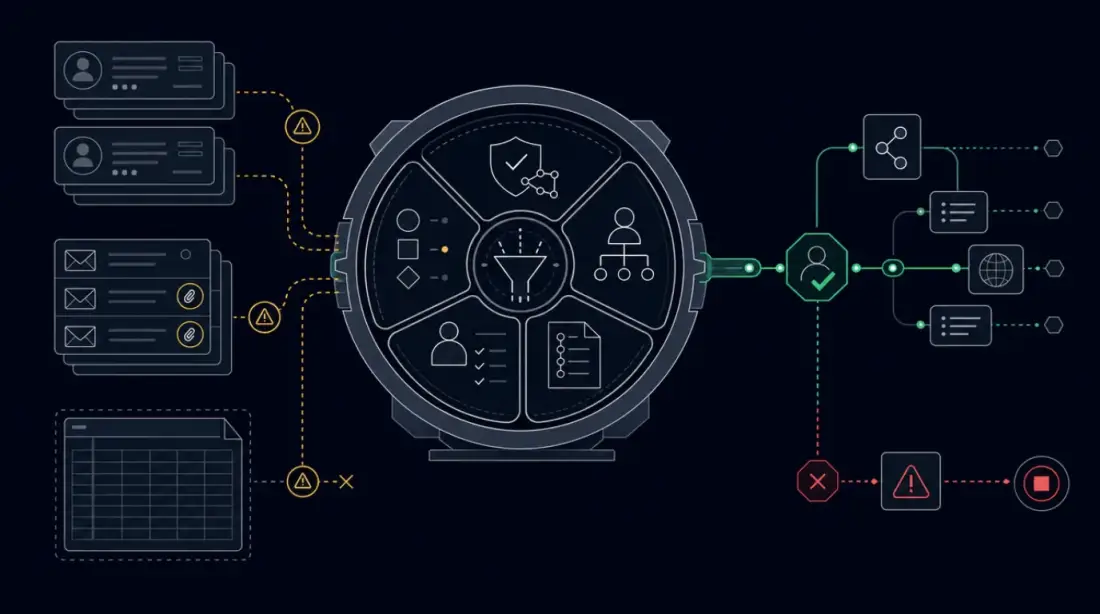
The key architectural principle: AI as infrastructure, not interface.
The intelligence happens behind the scenes, integrated into workflows your team already uses. No new interfaces to learn. No chatbots to train. Just better outcomes from the systems you rely on.
The Self-Hosted Advantage
Most AI solutions come with a hidden cost: your data.
When you use cloud-based AI services—whether for document processing, knowledge bases, or workflow automation—your proprietary information flows through third-party servers. Your contracts, your customer data, your internal processes: all processed on someone else's infrastructure, subject to their security practices, their jurisdiction, their business continuity.
For businesses in regulated industries or those handling sensitive data, this isn't just a risk. It's a dealbreaker.
Self-hosted AI solutions offer:
| Factor | Cloud AI Services | Self-Hosted AI |
|---|---|---|
| Data location | Third-party servers | Your infrastructure |
| Privacy | Subject to provider policies | Subject to your policies |
| Compliance | Workarounds required | Built-in by design |
| Cost model | Per-usage, unpredictable | Fixed, predictable |
| Vendor lock-in | High | None |
| Customization | Limited to API parameters | Full control |
The businesses we work with consistently cite data sovereignty as their primary concern. They want AI's benefits without surrendering control. Self-hosted solutions—running on infrastructure you own, in jurisdictions you choose—make this possible.
Getting Started: The AI Readiness Framework
You don't need a PhD in machine learning to benefit from AI. You need a systematic approach to identifying where AI can deliver value in your specific business.
Step 1: Audit Your Knowledge Work
For one week, track where your team spends time on:
- Finding information (documents, past decisions, processes)
- Processing documents (invoices, forms, contracts, emails)
- Making routine decisions (approval routing, prioritization, classification)
Look for patterns: Which tasks happen repeatedly? Which require searching through unstructured data? Which follow predictable rules?
Step 2: Prioritize by Impact
Score each opportunity:
| Factor | Weight | Questions |
|---|---|---|
| Time spent | 3x | How many hours weekly? |
| Error rate | 2x | How often do mistakes happen? |
| Business impact | 2x | What happens when this is slow/wrong? |
| Data availability | 1x | Do you have the source documents/data? |
Focus on high-time, high-error, high-impact processes with available data.
Step 3: Start with a Pilot
Choose one high-value workflow for a 30-day pilot:
Good pilot candidates:
- Invoice processing (high volume, structured data, measurable baseline)
- Internal knowledge base (immediate employee impact, low risk)
- Lead qualification (measurable conversion impact)
- Document classification (time savings, error reduction)
Success criteria:
- Time saved per transaction
- Error rate reduction
- Employee satisfaction
- Cost per transaction
Step 4: Measure and Scale
Track metrics rigorously. If the pilot delivers measurable value, expand to adjacent processes. If not, analyze why and adjust.
The Real Promise of AI
AI isn't magic. It's not going to replace your team, revolutionize your industry overnight, or solve problems you don't understand.
What AI can do—when applied correctly—is eliminate the routine work that consumes your team's capacity:
- The hours spent searching for information that should be findable
- The days spent processing documents that could be automatic
- The decisions made by gut feel that could be data-driven
This isn't about doing more with less. It's about doing the right things with the people you have.
When your team stops spending 10-15 hours a week on tasks that machines handle better, they gain that time for work that requires judgment, creativity, and relationship. That's the work that differentiates your business. That's the work your customers actually pay for.
The question isn't whether AI can help your business. The question is whether you're looking in the right places.
Chatbots are the sideshow. Knowledge management, content processing, and intelligent workflows are where AI delivers real, measurable, sustainable value.
Your Next Step
Start with a simple audit. For one week, ask your team: "Where do you spend time searching for information or processing documents that feels like it should be automatic?"
The answers will reveal your highest-opportunity AI applications—not chatbots that frustrate customers, but systems that empower your team.
If the audit reveals processes worth automating, we can help you assess feasibility, design solutions that keep your data under your control, and implement AI that delivers measurable business outcomes.
Ready to move beyond the chatbot hype? Get in touch for a confidential AI readiness assessment.
Related Posts
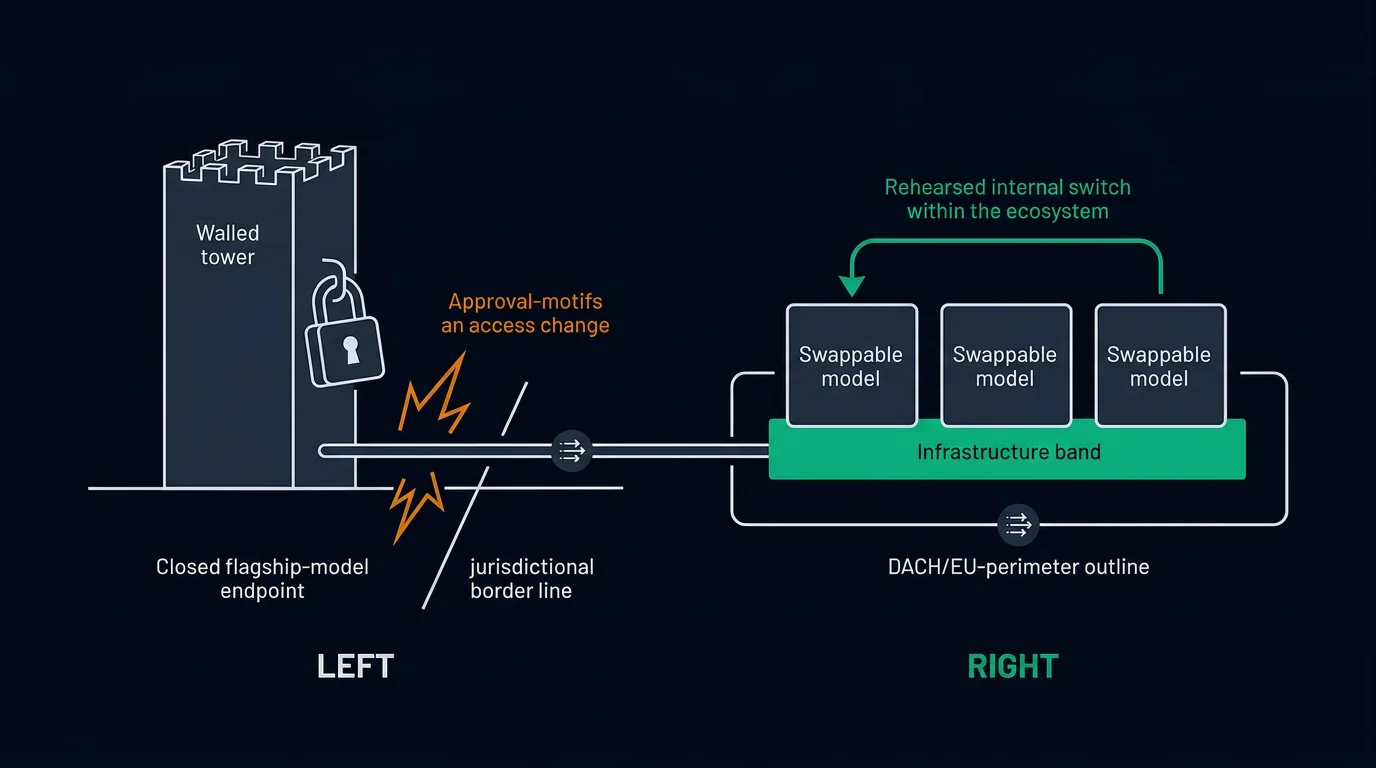
When a Foreign Government Gates Your AI Access: Sovereign AI Procurement as a Board-Level Risk for SMEs

The Economics of Open-Weight AI: Why Self-Hosting Now Makes Business Sense for SMEs