Automation Ownership for SMEs: Who Owns the Workflow After It Goes Live?
Small and medium businesses build automations, then forget them. Who takes care of things when the builder is gone? A practical guide to workflow accountability.
Contents
Small and medium businesses build automations, then forget them. Who takes care of things when the builder is gone? A practical guide to workflow accountability.
Share this article
The Tuesday the Invoice Did Not Go Through
It is shortly after 9 AM on a Tuesday. Lisa, operations associate at a founder-led software startup with 18 employees, notices that invoice data from the online shop has not reached the accounting system. The month-end close is approaching, and the tax advisor has already asked about it.
Lisa checks the shop. It is running. She checks the accounting software. Also fine. The invoice export? No error message.
Then she remembers: Eight months ago, a freelancer built an n8n workflow that transfers orders from the shop into accounting. It runs in the background. Nobody has touched it since go-live. The freelancer has long since moved on.
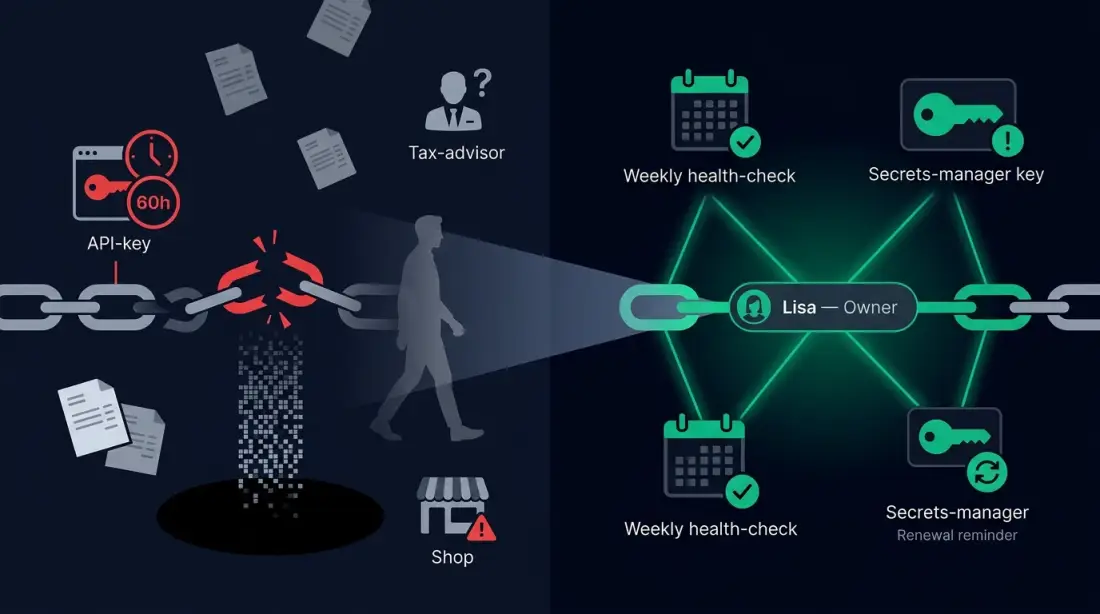
Lisa opens the n8n instance. The workflow shows a red error indicator. The shop API key expired on Saturday evening. For over 60 hours, booking data has been flowing into the void.
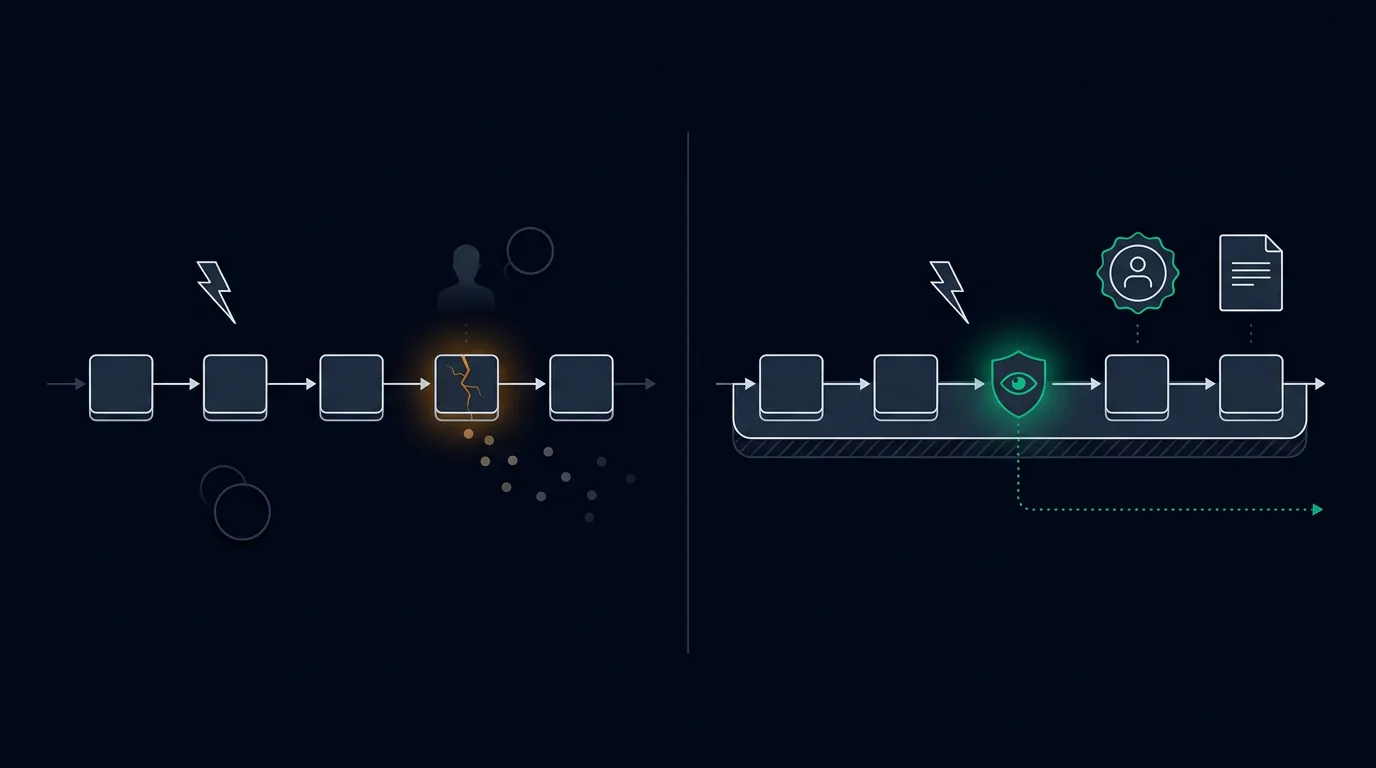
This is not a dramatic system crash. It is a slow-motion failure that happens because an automation is running, but nobody is responsible for it. The connection that was meant to make work easier has become an invisible dependency — without an owner, without monitoring, without a plan for when things go wrong.
When Automation Runs Without an Owner
Most small and medium enterprises do not set out to operate ungoverned automations. They want to solve a specific problem.
Sales needs synchronization between the CRM and the support tool. Accounting wants to capture invoices automatically. Marketing wants to transfer lead data between platforms. Each automation solves a real problem. Each new workflow feels like small progress.
But automations compound. One workflow becomes three. Three become ten. Somewhere along the way, the company crosses a critical threshold: The maintenance burden exceeds its ability to monitor, maintain, and adapt the running workflows.
The Three Forms of Missing Ownership
Form 1: The forgotten freelancer. An external developer built, documented, and billed for the workflow. Since then, nobody has looked inside it. When it breaks, there is no point of contact — only an invoice from eight months ago.
Form 2: The departing employee. An enthusiastic colleague developed the automation in his spare time. He knew all the exceptions, all the API quirks, all the workarounds. When he left the company, the knowledge left with him. The automation keeps running — until it hits a situation that nobody understands anymore.
Form 3: The founder who moved on. Tobias, managing director of a founder-led software startup with 18 employees, built the first workflows himself because nobody else had the time. Today he focuses on customer acquisition and product development. The automations keep running, but they are no longer his day-to-day business — and he has neither the time nor the structured accountability to maintain them.
Why "someone built it once" is not a strategy
In Camunda's survey for its 2025 report, 79 percent of 800 respondents report difficulty controlling and sustaining existing automation. Respondents were responsible for process automation in companies with at least 1,000 employees across four countries. This is evidence from large organizations, not a representative SME benchmark.
A smaller business can investigate the issue directly: who responds to a failed run, who renews credentials, and who decides whether an exception needs manual handling? These responsibilities can be missing even when the workflow itself is technically sound.
The Hidden Cost of Automation Without Accountability
When an automation has no owner, costs arise that are invisible at first glance. They add up quickly to a significant operational risk.
Data loss and rework
The expired API key in our opening scenario is not a theoretical example. When a synchronization breaks for days or weeks without being detected, a backlog builds up that must be cleared manually. At this founder-led software startup, this means: 45 active customer projects, daily synchronization between CRM, support tool, and invoicing system, eight to twelve n8n workflows. A single interrupted data flow can trigger hours of manual rework — hours that nobody had planned for.
Erosion of trust in automated processes
The bigger problem is not the individual incident. It is the gradual shift in how teams treat automated processes. Once a workflow has failed unnoticed, employees will manually double-check in the future. Once an automation step has produced incorrect data twice, it will be bypassed. The original goal — saving time through reliability — turns into its opposite. The automation becomes an additional burden.
Reversion to manual work
At the end of this process comes the return to manual workarounds. A team that was once proud of its automations now performs the tasks by hand — slower, more error-prone, but supposedly safer, because at least a human notices when something is wrong. The investment in automation is lost.
A low automation rate alone establishes neither missing governance nor a worthwhile investment opportunity. Some tasks are infrequent, variable, or require judgment. The next decision therefore depends on your own process volume, failure impact, and whether a responsible operator is available.
Separate setup from ongoing operations in the budget. Operations include credentials, failure handling, API changes, questions, and recovery. Investment intentions in a survey do not show actual spending or establish whether automations are operated sustainably.
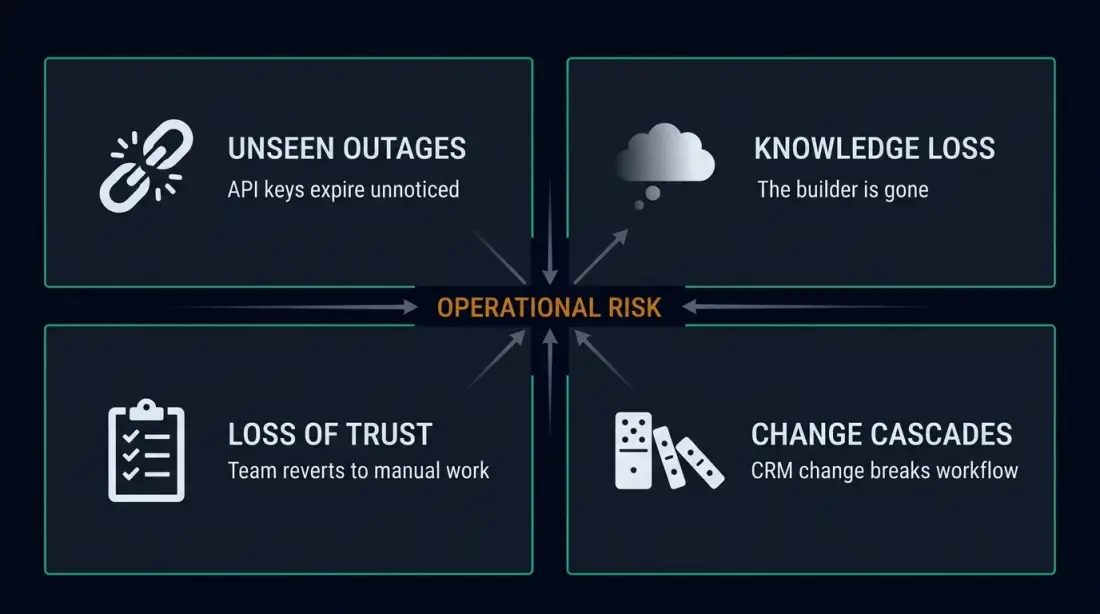
| Cost factor | Warning sign | Business impact |
|---|---|---|
| Unseen outages | API keys expire, nobody notices | Rework, delayed accounting, incomplete data |
| Knowledge loss | "Someone built that once" | High diagnosis time, dependency on individuals |
| Loss of trust | Team manually double-checks automated output | Reversion to manual work, wasted investment |
| Change cascades | CRM field change breaks workflow | Incorrect data in reports, faulty customer communication |
What an Ownership Model Really Means
Automation ownership is not an organizational afterthought. It is a structural decision that determines whether an automation remains a sustainable tool or becomes a ticking time bomb.
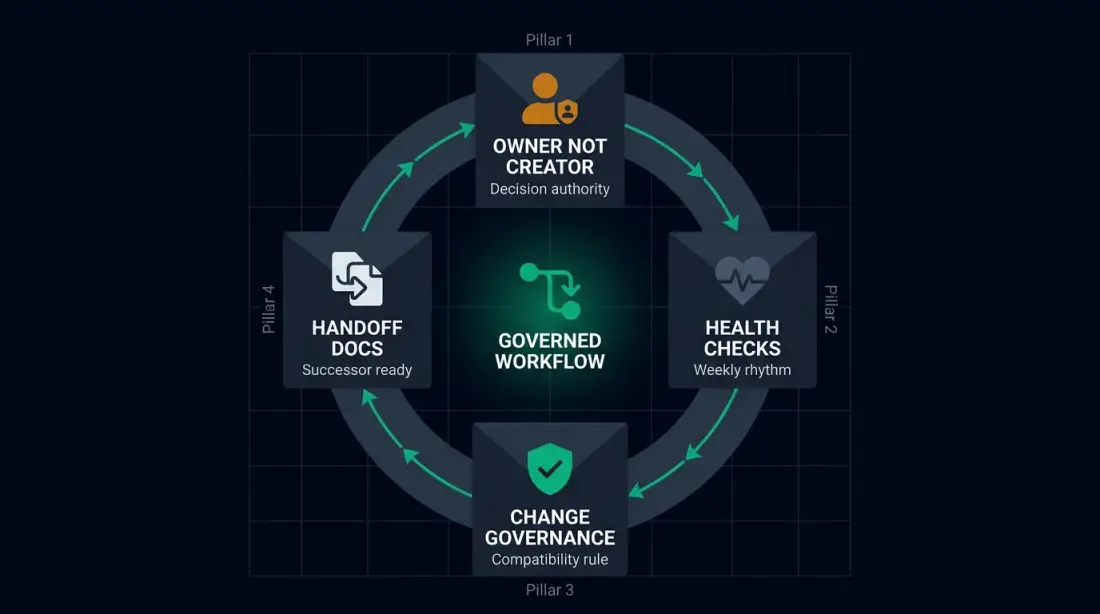
Owner, not just creator
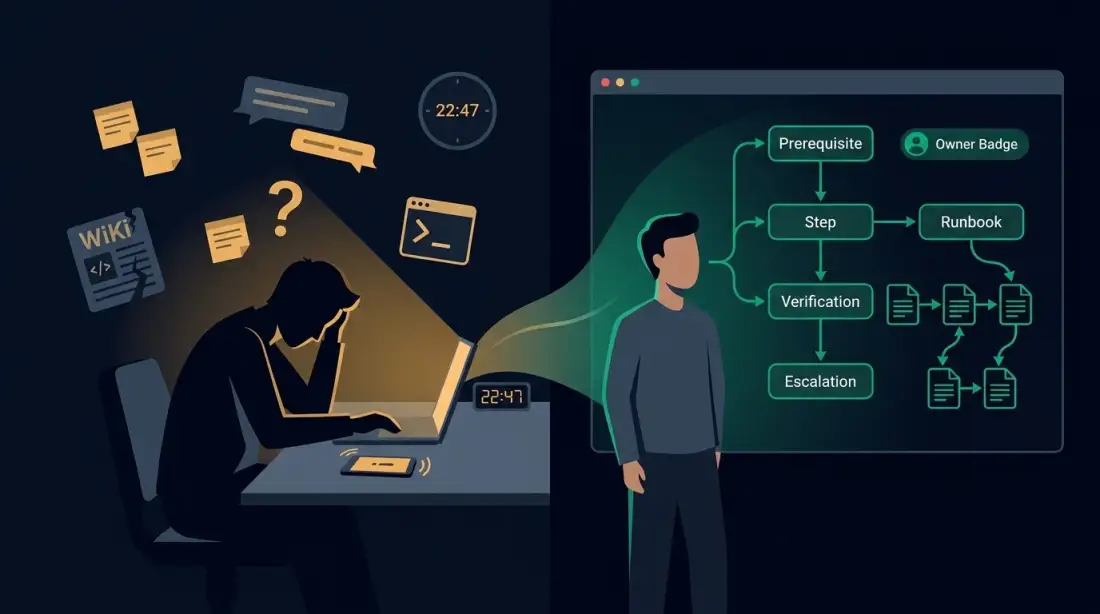
The central distinction lies between the person who built a workflow and the person responsible for its ongoing operation. The creator understands the technical implementation. The owner understands the business purpose, the exception cases, the escalation paths, and the decision criteria for changes.
According to the n8n production best-practice guide by ALM Corp, the ground rule is: "Assign ownership. Every production workflow should have a responsible owner." This is not an academic demand. It is the practical realization that workflows in production constantly face changing conditions: API updates, data format shifts, new regulatory requirements. Without an owner who observes and evaluates these changes, every automation drifts into obsolescence.
Health checks and escalation paths
An ownership model without monitoring is only half as valuable. The owner needs a defined rhythm in which to check the health of their workflows. This can be weekly, monthly, or event-driven — depending on criticality.
More important is the escalation path: What happens when the owner is on vacation, sick, or leaves the company? A single owner without backup is just another form of bus factor. The ownership model must therefore always define a secondary contact — someone who can step in without first spending three days reading documentation.
Change governance and compatibility rules
Every change to a system that a workflow reads from or writes to can affect that workflow. A new field in the CRM, a changed API endpoint, an adjusted database structure — all legitimate changes that can nonetheless endanger the automation.
The change governance rule is therefore simple: Before a system connected to a workflow is changed, the workflow owner must be informed and compatibility must be confirmed. This sounds like bureaucracy, but in a small company it takes minutes — and prevents damage that costs hours or days.
Handoff documentation for successors
When the owner changes, knowledge must be transferred. Not as a 40-page manual, but as a structured handoff that answers the following questions:
- What does the workflow do from a business perspective?
- Which systems are involved?
- Which API keys, credentials, or permissions does it need?
- Which exception cases does it handle — and how?
- What is the escalation path for errors?
- When was it last checked?
From Forgotten Workflow to Managed System
Let us look at the difference between a workflow without an owner and a workflow with a clear ownership model, using the concrete example of this founder-led software startup.
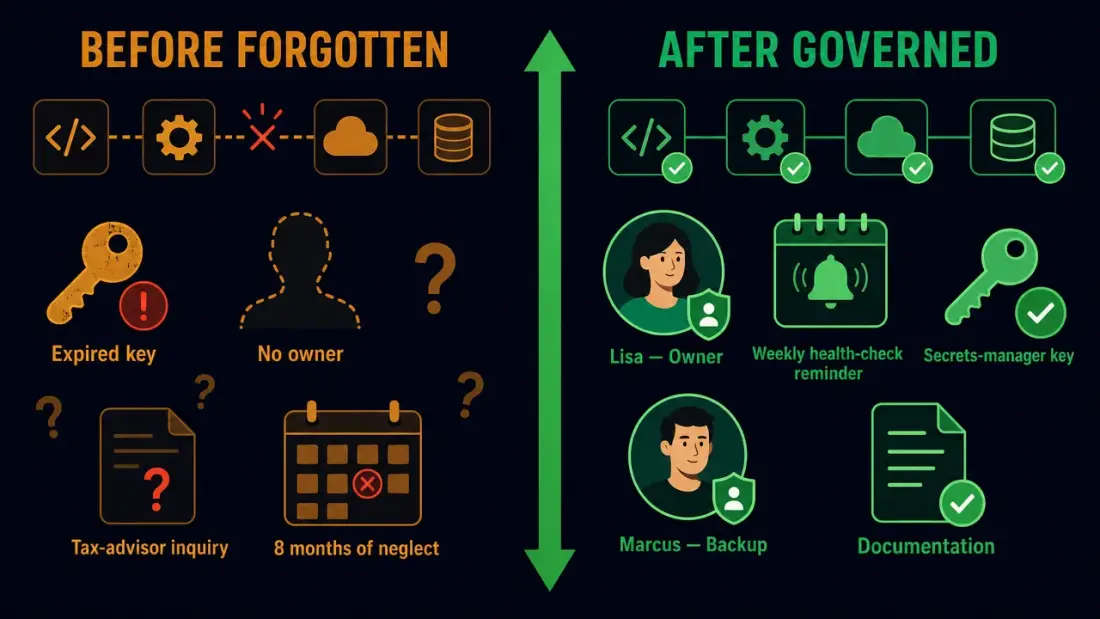
Before: A workflow only the freelancer knew
Tobias, founder of a founder-led software startup with 18 employees, commissioned a freelancer eight months ago to build an n8n workflow that transfers orders from the online shop into the accounting software. The workflow works. Tobias pays the invoice. The freelancer disappears from the project.
Lisa, operations associate, uses the accounting software daily, but she does not know that a workflow supplies the data. She notices no errors as long as the numbers match. Marcus, a new developer, is supposed to build another workflow that transfers customer data from the CRM into the support tool. He does not know which exceptions the existing shop workflow already handles — and whether his new workflow uses the same API keys or needs separate credentials.
When the shop API key expires, the workflow silently collapses. Nobody notices. Only when the tax advisor asks why revenue is missing for the last month is the error discovered. Diagnosis takes four hours — context search, credential research, error log analysis. The rework costs another three hours.
After: A workflow with a clear owner and lifecycle
The same workflow, but with an ownership model:
Lisa is explicitly named as the owner. She receives a weekly health-check reminder to verify that the workflow is running error-free and that the output data is plausible. The n8n instance is configured so that errors escalate directly to Lisa — not to a general distribution list, but to a specific person with decision-making authority.
The shop API key is managed in a central secrets manager, with expiration date and renewal rhythm. One month before expiration, Lisa receives a notification. If she is on vacation, Marcus is listed as the secondary contact.
Every change to the shop system — a new field, a changed endpoint, an API version update — is communicated to Lisa before implementation. She checks whether the workflow remains compatible and approves the change or orders a workflow adjustment.
The handoff documentation lives in a central wiki. If Lisa leaves the company, Marcus or a new colleague can take over responsibility without starting from zero.
How Planfold Turns Automation into Sustainable Operations
An ownership model does not work when treated as a post-deployment formality. It must be integrated into the automation build itself — from the first process analysis to ongoing monitoring.
Plan: Surface workflows and name owners
Before a new workflow is built, we identify existing automations already running in the company — documented or not. We map which systems are connected, which data flows, and which business processes depend on them. The decisive step: We name an explicit owner for each identified workflow. Not the most technically skilled employee, but the person who benefits most from smooth operation and has the authority to make change decisions.
Unfold: Build the ownership layer
We implement the technical infrastructure that makes ownership actionable: health checks, error notifications, central secrets management, audit trails for workflow changes, and documented escalation paths. We use n8n as the orchestration platform because it allows us to integrate not only the logic but also the monitoring and error handling into the same workflow — without requiring additional monitoring tools that would blow the budget of a small company.
Resonate: Operate the system accountably
Sustainable operations culture emerges from regular reviews, not one-time documentation. We establish rhythms: Weekly health checks for critical workflows, monthly ownership reviews, quarterly audits of the entire automation landscape. The goal is not perfection, but reliability. A workflow whose owner knows she must check it will be adjusted earlier and less often become the trigger of an unnoticed failure.
A Practical Start — One Workflow That Will Not Be Forgotten
You do not need a complete enterprise governance framework to start with automation ownership. You only need one workflow that you take seriously.
Pick the most expensive workflow
Ask yourself: Which workflow, if it failed, would cost your company the most? Not just in money, but in time, reputation, or regulatory consequence. That is your first candidate for an ownership model.
Name an owner, not just a builder
Choose the person most likely to notice when something is wrong and who has the authority to initiate changes. Make sure this person is available, informed, and resourced for maintenance. Document the assignment in writing — not as bureaucracy, but as clarity.
Set up a health check
Define how often the workflow should be checked and what "healthy" means. A simple check can be: "Once a week I check in n8n whether the workflow has run error-free in the last seven days." An advanced check can include automated error notifications that go directly to the owner.
Document a change rule
Write down in one sentence: "Before the CRM, shop, or accounting system is changed, the responsible person informs the workflow owner." That is all. No committee, no form — just the explicit obligation to check compatibility before destroying it.
If you implement these four steps for a single workflow, you have achieved more governance than the majority of companies surveyed by Camunda. And you have laid the foundation for an operations culture in which automations are not treated as magical black boxes, but as business-critical infrastructure that requires accountability.
Want to know which of your automations are unowned today?