Workflow Debt in SMEs: When Excel, Email and Chat Become Your Hidden Operating System
Why undocumented workflows living in email, spreadsheets, and chat are a hidden operational risk — and how SMEs can turn them into owned, automated processes with review gates and audit trails.
Contents
Why undocumented workflows living in email, spreadsheets, and chat are a hidden operational risk — and how SMEs can turn them into owned, automated processes with review gates and audit trails.
Share this article
The Monday Sarah Was on Holiday
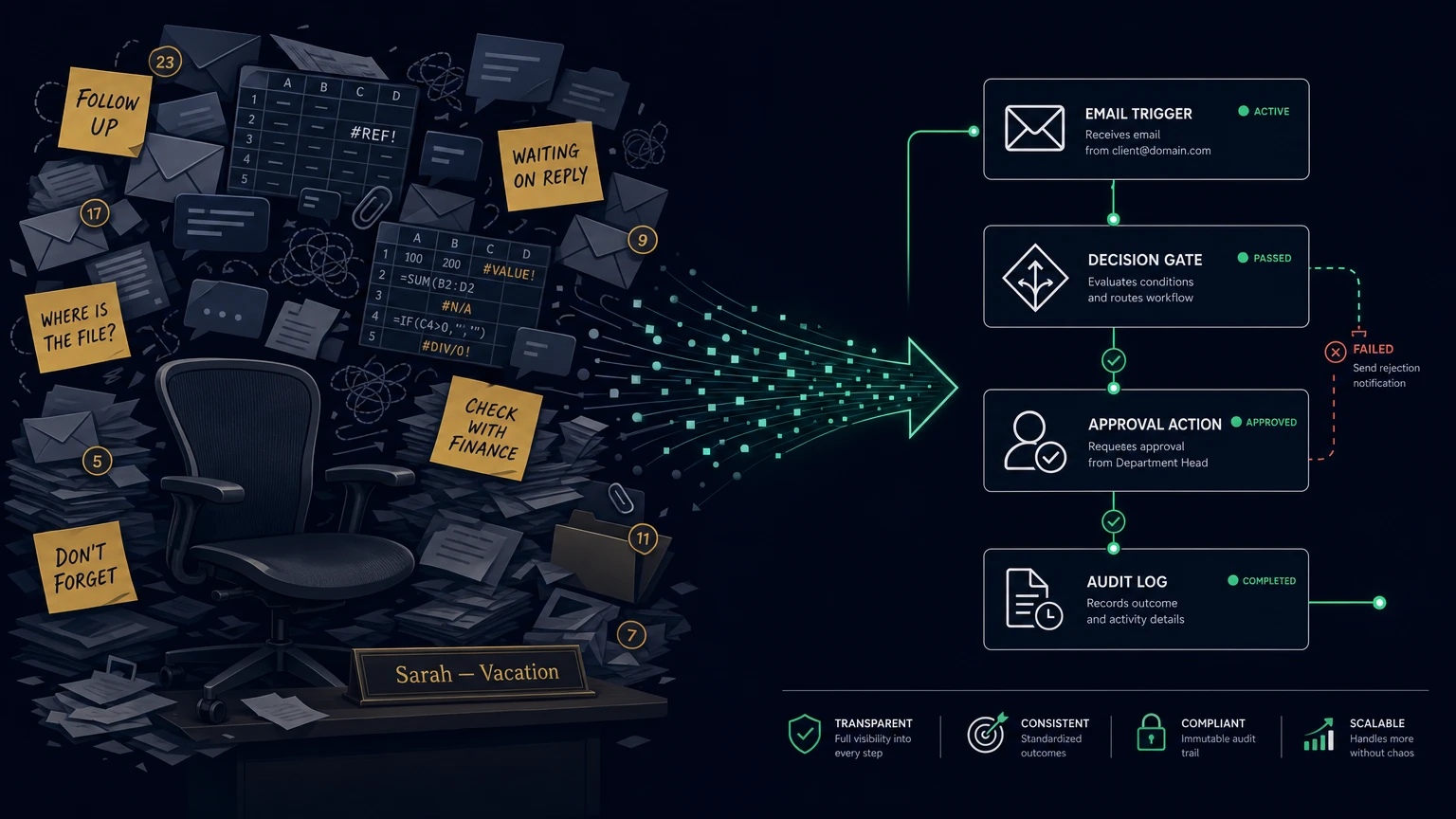
Sarah is the operations lead at a 35-person logistics service provider in Bavaria. She coordinates supplier invoices, customer requests, and margin calculations — and she knows the workflows that nobody else has documented. This Monday, she is on holiday.
At 8:30 a.m., the first invoice from a new supplier lands in the shared mailbox. Michael from accounting opens it, does not immediately recognise the amount, and forwards the email to Sarah. It sits in her inbox until Tuesday morning. By then, the supplier has already chased twice.
At 10 a.m., a regular customer sends a team chat message asking for the status of a shipment. Lena from customer service sees it, but the original order sits in an email Sarah received on Friday. Nobody knows whether the shipment has already been dispatched. The customer waits four hours for an answer that should have taken one minute.
At 2 p.m., Thomas, the managing director, discovers that the shared Excel file with project margins has been out of sync since Friday evening. Four people have worked on different versions. One formula was accidentally overwritten. Two projects were quoted using the old hourly rate. Nobody notices immediately.
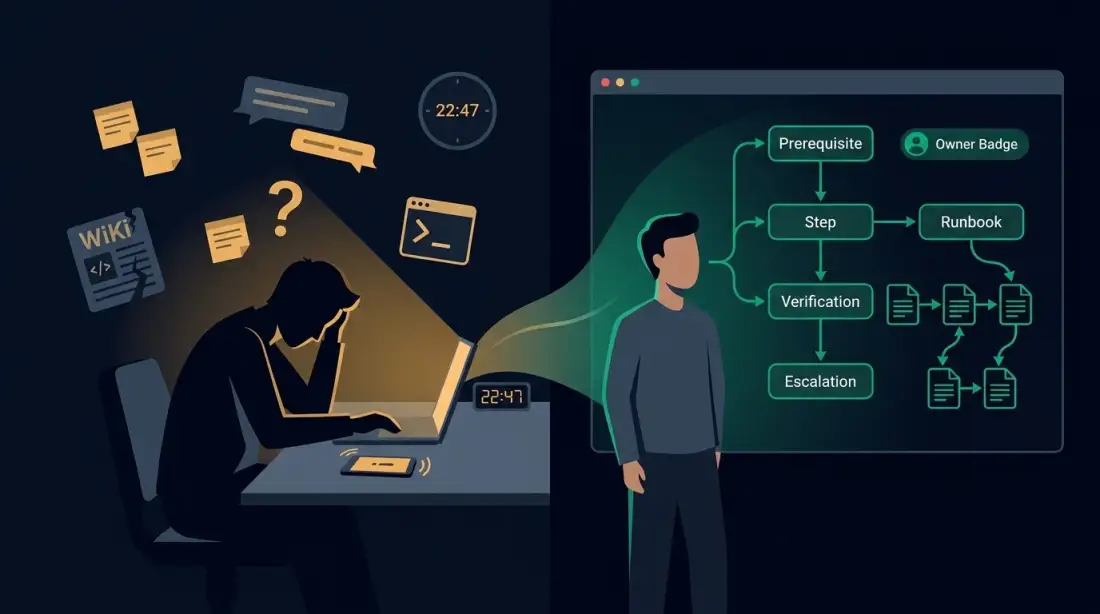
This Monday is not a disaster. Nothing is on fire. But three processes get stuck, one supplier is annoyed, one customer waits longer than necessary, and Thomas spends the afternoon piecing together tasks that should be routine. The problem is not Sarah's holiday. The problem is that these workflows exist only in Sarah's inbox, memory, and personal files.
The real cost trap is not the single lost day. It is the permanent inability to delegate, scale, or audit routine work. When Sarah falls ill, leaves the company, or simply takes a longer break, the business does not just lose an employee — it loses the workflow itself. According to a 2025 KfW Research study, German SMEs spend roughly seven percent of working time on bureaucratic processes. Much of that is not necessary administration, but avoidable friction caused by shadow processes.
What Workflow Debt Really Is
Workflow debt accumulates when a company lets informal workflows grow over years until they become the standard — without ever documenting, testing, or consciously designing them. It is the operational counterpart to technical debt in software development, except that here the debt lives in business processes.
Typical forms of workflow debt in SMEs:
- The spreadsheet that became a database: A file with 47 tabs, edited by four people, full of version conflicts and formulas nobody fully understands anymore.
- The email approval chain: An invoice travels through three inboxes before it is approved. Who gave final sign-off is visible only from the reply chain.
- The chat handoff: Customer requests land in a team chat, get forwarded, sometimes answered twice, sometimes forgotten — with no record.
- The double data entry: The same data is retyped from a PDF into accounting, a CRM, and a project tool because the systems do not talk to each other.
These workflows start as pragmatic solutions. A company grows, someone quickly builds a spreadsheet, an email forward, or a chat channel. Over time, these scaffolding pieces become the operating mode. Nobody ever formally approved them as official processes. Nobody is explicitly responsible for them. And nobody can reproduce them when the person who invented them is unavailable.
The decisive difference from a normal, consciously chosen manual process is invisibility. Workflow debt lives in the background. It is not measured, reviewed, or prioritised — until it breaks.
The Hidden Costs of Excel, Email, and Chat
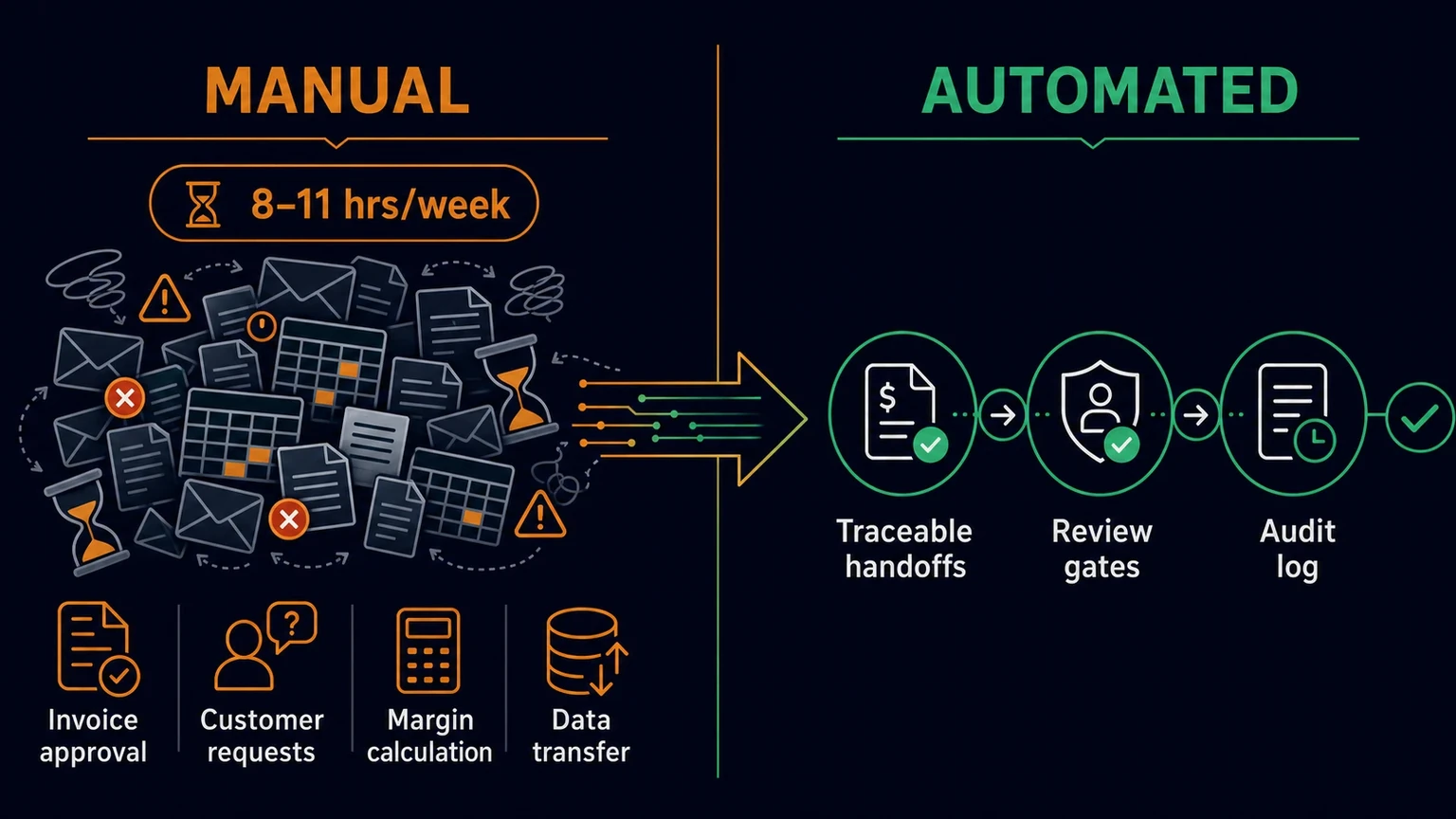
The costs of workflow debt rarely appear as their own line item. They hide in consumed time, delayed decisions, reworked errors, and burned trust. For a 35-person company like the illustrative logistics provider in the opening scene, the hours add up quickly:
- Invoice checking and approval: Around 180 supplier invoices per month arriving by email, sorted, forwarded, and manually transferred into the accounting system. Estimated three to four hours per week.
- Customer requests: About 60 requests per week coming in by email, phone, and chat, then manually assigned. Estimated two to three hours per week.
- Margin calculation: A shared Excel file with twelve tabs maintained by four people. At least one hour per week for alignment, queries, and error correction.
- Data transfer: Recurring transfers between email, spreadsheets, and accounting. Estimated another two to three hours per week.
That sums to eight to eleven hours per week spent on manual handoffs, error corrections, and follow-ups — without these hours ever appearing as a cost line. They are booked as "administration" or "office work".
Error costs come on top. Raymond Panko at the University of Hawaiʻi is regarded as a pioneer of spreadsheet error research. Field studies of real organisational spreadsheets find errors in 24 to 94 percent of all spreadsheets examined, according to a 2025 summary by David R. Oliver. Experienced users, Oliver notes, make errors in 2 to 5 percent of all formula cells. Developers systematically underestimate their own error rates.
Humans are also not reliable data-entry machines. Hannah Cameron at Conexiom writes in a 2026 benchmark article that an error rate of roughly one percent is not the goal but the typical result of unsupported manual keying. At 5,000 records per month, that means about 50 faulty entries — every month. The further an error travels before detection, the more expensive it becomes: a typo at entry costs minutes; the same typo after fulfilment becomes a return, a credit note, freight, and support time.
The follow-on costs are subtler and more expensive than the pure time losses:
- Payment delays strain supplier relationships and generate reminder fees.
- Miscalculations lead to underquoted projects that earn little or nothing at all.
- Duplicate or missed customer responses cost trust and repeat revenue.
- Audit inability: When a process happens in personal inboxes and local Excel files, the company cannot provide an evidence chain for certification or a supplier audit.
Six Warning Signs Your Processes Are Suffering
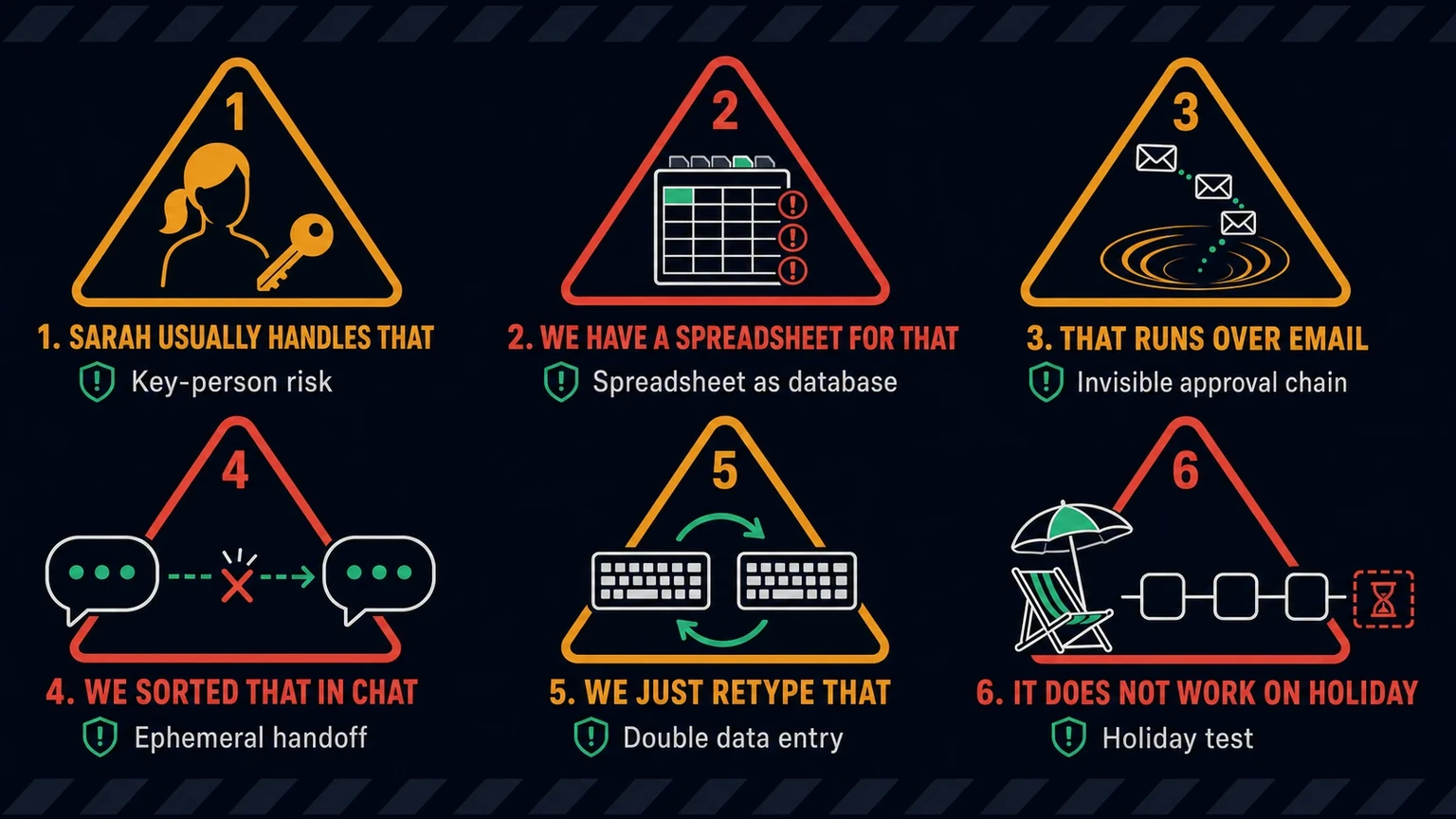
Most business owners feel workflow debt long before they can name it. Here are six concrete warning signs you can check against your own company.
1. "Sarah usually handles that"
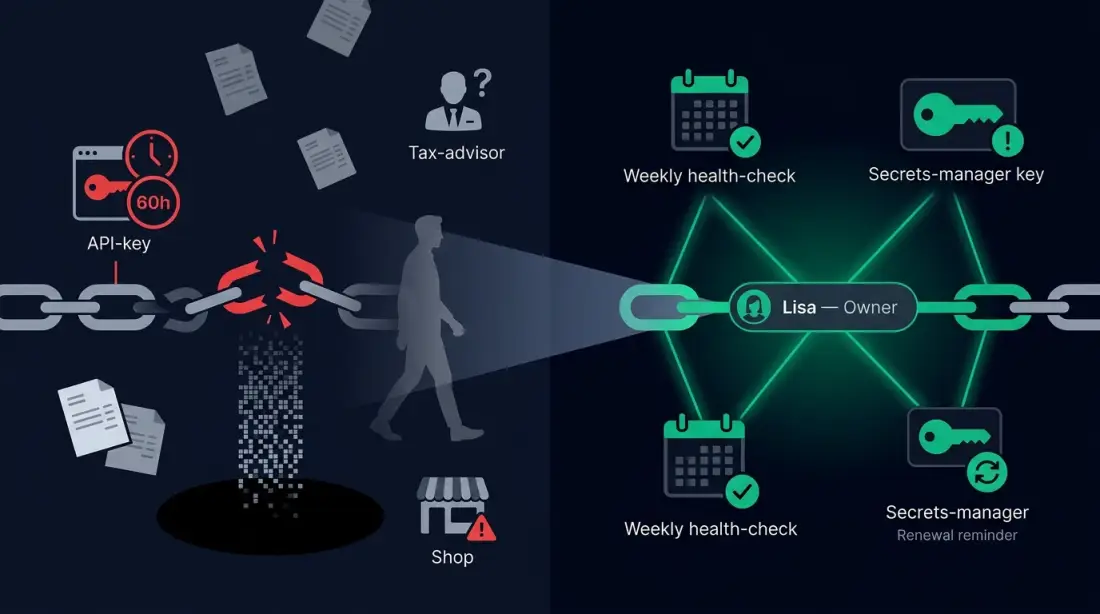
When a process collapses because one specific person is away, the process does not live in a system — it lives in that person's head. This is classic key-person risk.
2. "We have a spreadsheet for that"
Once a spreadsheet becomes a critical system, edited in parallel by several people, producing version conflicts, and no longer fully understood by anyone, it is no longer a tool. It is a risk.
3. "That runs over email"
Approvals, status updates, and decisions that happen only in email chains are invisible to everyone else. They cannot be searched, monitored, or audited.
4. "We sorted that in chat"
Chat messages are fast but ephemeral. Reconstructing who promised what, when, and to whom is difficult. That leads to duplicate answers, forgotten commitments, and unclear ownership.
5. "We just retype that"
When the same data is transferred from a PDF, an email, or a spreadsheet into multiple systems, every handoff creates error potential. Every manual transition is a potential source of mistakes.
6. "It does not work when someone is on holiday"
The holiday test is the most honest diagnostic tool: which processes keep running when the responsible person is away for two weeks? Anything that stalls is workflow debt.
If two or more of these signs apply to you, you do not have a motivation problem in the team. You have a process-design problem.
From Shadow Workflow to Automated Asset
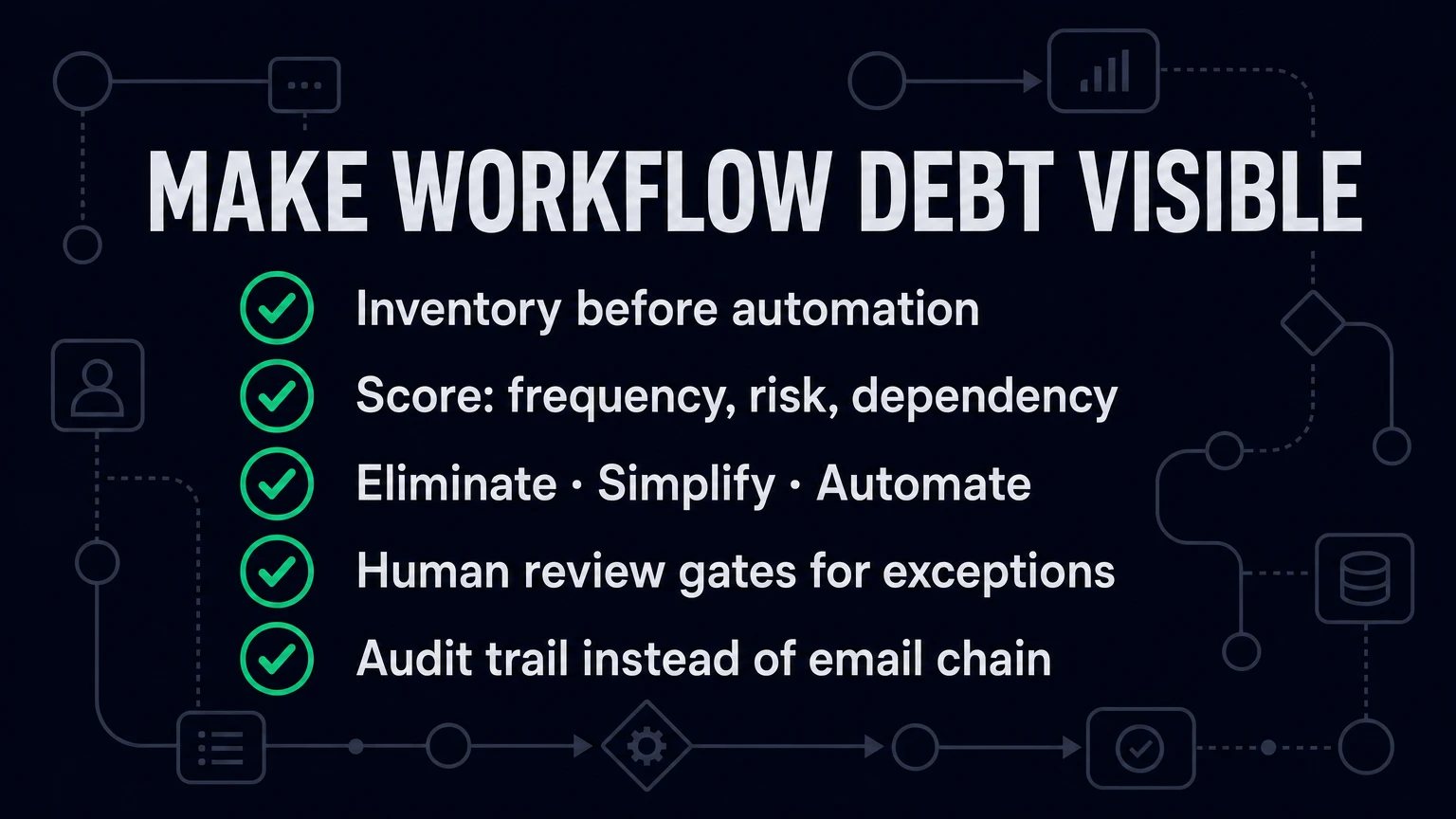
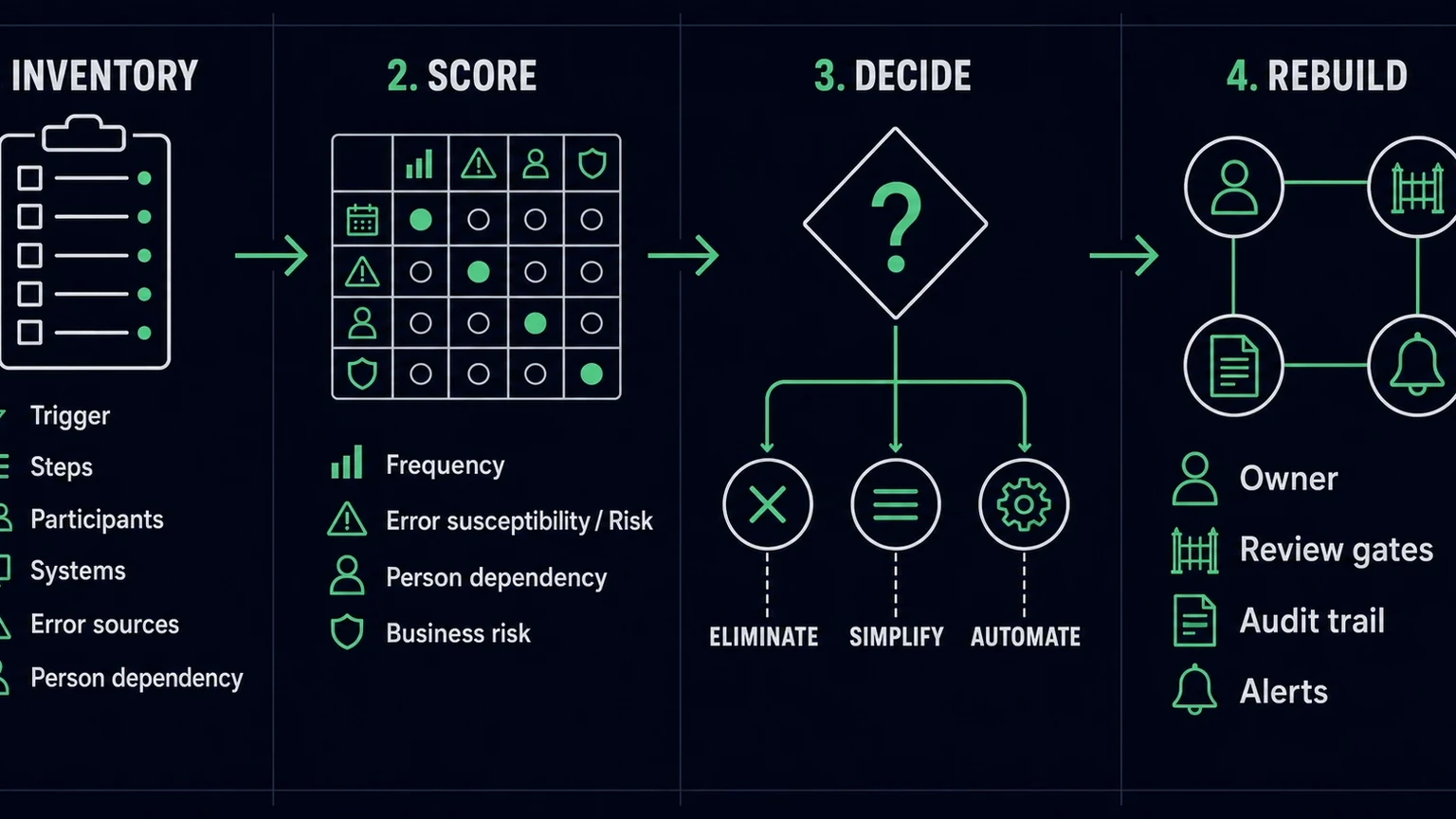
Workflow debt cannot be removed with a new tool. You have to make it visible first, then reduce it deliberately. A practical framework is the audit-and-replace method: inventory, score, decide, rebuild.
Step 1: Inventory
Collect five to ten recurring workflows that currently run manually. For each workflow, note:
- Trigger: Where does the information come from?
- Steps: What happens in what order?
- Participants: Who does what?
- Systems: Which tools receive the data?
- Error sources: Where do delays or mistakes typically occur?
- Person dependency: Who is the only person who knows the workflow?
For our illustrative logistics provider, the list would likely include: invoice intake, customer-request triage, margin calculation, supplier status queries, and leave or approval requests.
Step 2: Score
Each inventoried workflow is scored against four criteria:
- Frequency: How often does it occur per week or month?
- Error susceptibility: How expensive are typical errors?
- Person dependency: How tightly is it tied to one individual?
- Business risk: What happens if it stops or runs incorrectly?
This produces a prioritisation. Not everything needs to be automated. Some workflows should simply be eliminated or simplified.
Step 3: Decide — eliminate, simplify, or automate
- Eliminate: Some workflows create no measurable value and can be removed.
- Simplify: Some workflows need fewer steps, clearer rules, or a simpler tool.
- Automate: Workflows that are well-defined, frequent, and error-prone are candidates for a controlled automated workflow.
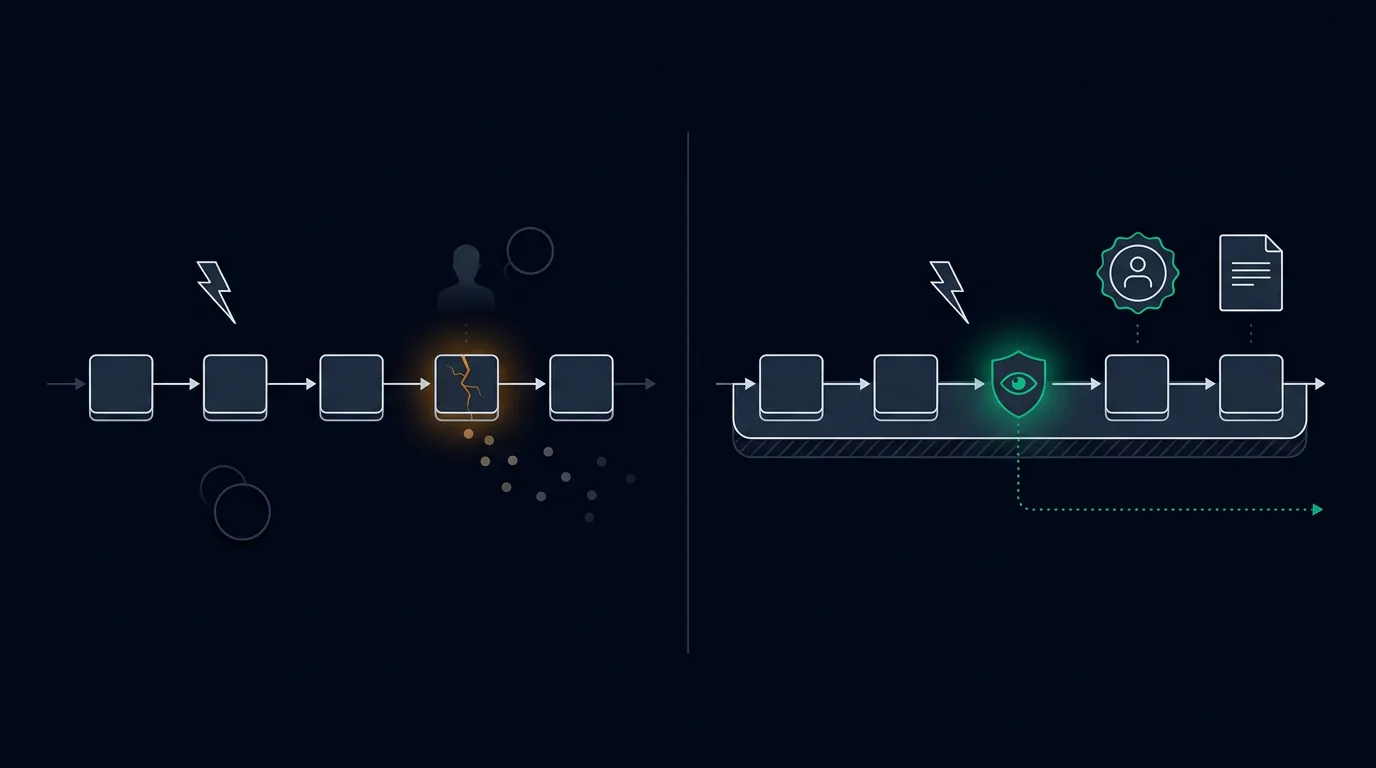
Step 4: Rebuild with ownership and review gates
An automated workflow is only as good as its decision logic. That is why every workflow needs:
- a defined process owner who maintains the logic;
- clear review gates for exceptions and amounts;
- an audit trail logging every status change;
- error handling that alerts someone when something goes wrong.
In our illustrative example, that might look like this: invoices below a certain amount and with a matching purchase order are recorded automatically. Invoices above the threshold or with a mismatch are routed to Thomas for approval. Every status change is logged. If the workflow fails three times in a row, Michael receives a notification.
The Planfold Perspective: Reducing Workflow Debt Systematically
Planfold treats workflow debt like technical debt: it must be made visible before it can be paid down. Our methodology follows three phases — Plan, Unfold, Resonate — each with a concrete technical and operational meaning.
Plan means mapping the shadow processes. We document which workflows currently live in email, chat, and spreadsheets, who carries them, where errors arise, and what business risks they create. The result is not a theoretical process landscape, but a prioritised list of tangible workflows.
Unfold means rebuilding the valuable workflows as owned automation assets. We typically use n8n workflows, which can be self-hosted and carry no limits on API calls or execution time. Each workflow gets a clear trigger, defined processing steps, human review gates for exceptions, and a traceable handoff.
Resonate means operating, monitoring, and continuously improving the workflow. This includes logging, error alerts, regular reviews, and versioning. A workflow that runs is not finished — it needs an owner who ensures its quality.
The most important principle: automation does not replace human decisions. It replaces forgotten, swapped, or delayed steps. People remain responsible for decisions, exceptions, and approvals. This is not a technical compromise; it is a deliberate risk decision.
Another principle is sovereignty. Planfold runs workflows on infrastructure the company controls — self-hosted or hosted in the DACH region, GDPR-compliant without additional contracts, and without vendor lock-in. The workflows, their credentials, and their logs belong to the company, not to a foreign platform.
First Steps: Three Workflows Worth Starting With
Not every workflow is equally suited for a first project. The best candidates are repetitive, clearly rule-based, and not so critical that a mistake paralyses the company. Three typical starting workflows for an SME:
1. Invoice approval
Invoices arrive regularly, often pass through several inboxes, and have clear approval rules. An automated workflow can read invoices, match them against purchase orders, record low amounts directly, and route exceptions to the managing director. This reduces delays and provides a continuous evidence chain.
2. Customer-request triage
Customer requests arrive through multiple channels and often have to be manually assigned. A workflow can receive incoming requests, classify them, create a ticket, assign an owner, and acknowledge receipt. Status lookups can be partly automated; complex cases remain with a human.
3. Recurring data entry
Data that is regularly transferred from an email, a form, or a file into several systems is a classic error trap. A workflow handles extraction and handoff, checks plausibility, and flags deviations. The human remains responsible for approval and exceptions.
For all of these, the same rule applies: start with a single workflow, run it in parallel for two weeks, and only then build the next one. A half-hearted automated workflow is worse than a consciously manual one — because it creates a false sense of security.
Conclusion: Less Admin Chaos, More Operational Control
Workflow debt is not a character flaw in the team. It accumulates when quick fixes become the standard over years — without anyone ever consciously designing, documenting, or handing over the workflows. The costs do not show up on the invoice; they appear in consumed time, delayed decisions, errors, and the risk that key processes disappear when one person leaves.
The way out does not begin with a new tool. It begins with an audit: which workflows currently live in email, chat, and spreadsheets? Which are frequent, error-prone, and person-dependent? Which are worth eliminating, simplifying, or rebuilding as controlled automation?
Those who make these shadow processes visible gain more than time. They gain the ability to scale, delegate, and audit — without every new customer volume requiring proportionally more manual rework.