The AI Agent Bridge: Modernize Legacy Operations Without A Big-Bang Rewrite
Many companies still depend on old but business-critical systems. The AI Agent Bridge shows how to wrap legacy workflows with controlled automation instead of starting with a risky full replacement.
Contents
Many companies still depend on old but business-critical systems. The AI Agent Bridge shows how to wrap legacy workflows with controlled automation instead of starting with a risky full replacement.
Share this article
The System That Still Runs The Business
It is Monday, 8:12 a.m. A request from an existing customer lands in the inbox. Sales needs to check contract terms, availability, service windows, and a few historical exceptions. The truth is not in a clean dashboard. It is in an old ERP, a long-lived Access database, an export file, and the head of one employee who knows which exception applies to this account.
The system is not broken. It creates invoices, knows item numbers, stores history, and contains business rules that were never fully documented anywhere else. That is exactly why nobody wants to rip it out quickly. At the same time, it no longer works as the operating surface for modern work. People copy data, clarify status by email, feed AI tools manually, and rebuild management reporting around it.
Companies often call this "legacy." In daily operations, it is more specific: a stable core surrounded by brittle workarounds. The core keeps the business running, while the modern work happens outside it: spreadsheets, email, CRM, chat, AI summaries, and manual checks. The better question is not "How do we get rid of the old system immediately?" It is "How do we protect the core while making the most important workflows more modern?"
The Cost Of The Manual Bridge
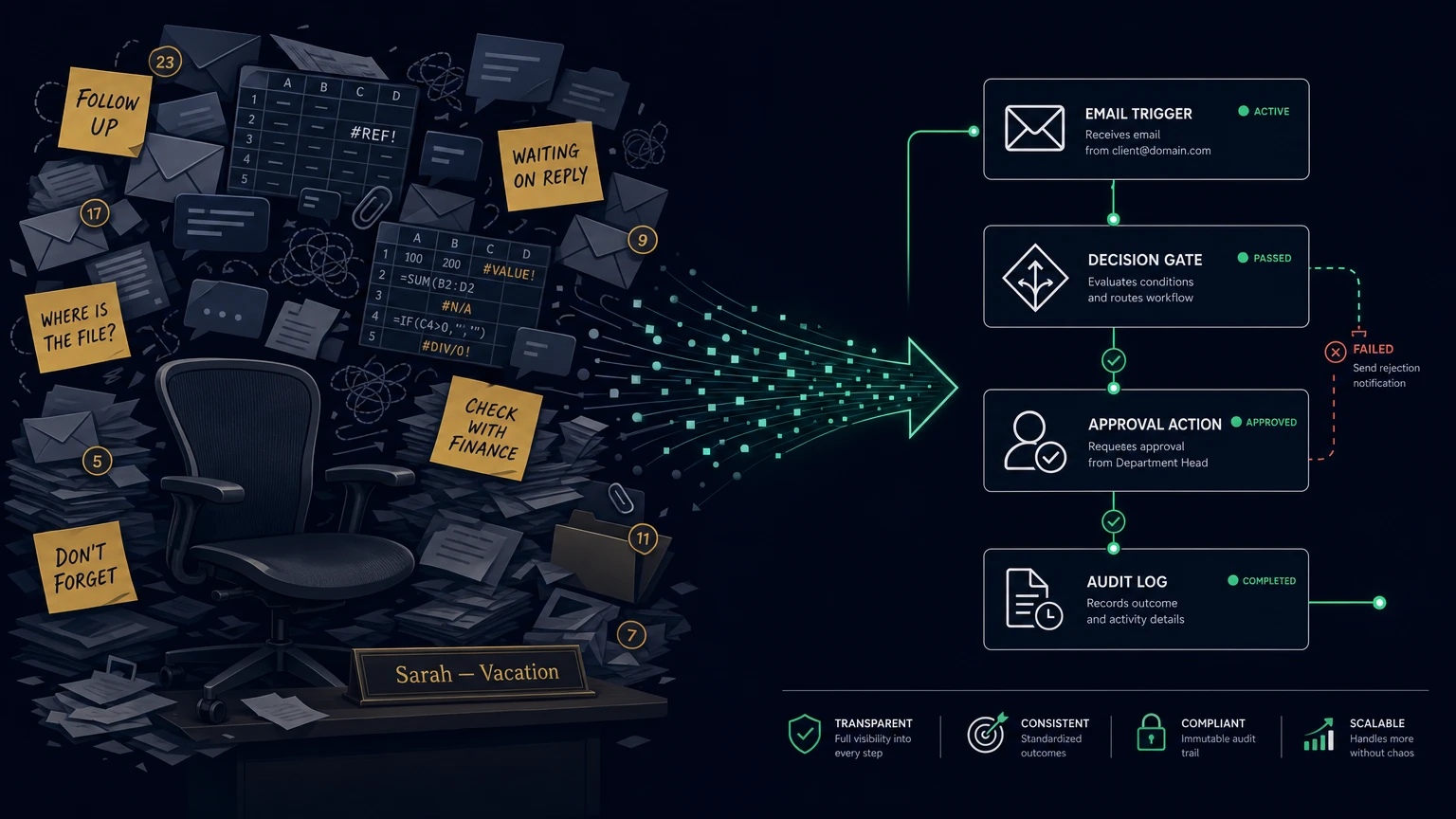
The most expensive part is rarely the old system license. It is the human bridge built around the system every day. One person checks availability in the ERP, copies values into a spreadsheet, sends a question to sales, updates a CRM field, and asks finance for confirmation. In a 35-person company, five people can easily lose 30 to 45 minutes per day to status checks, re-keying, and reconciliation. That is an illustrative model, not an industry statistic.
The damage does not stop at lost time. Quotes take longer. Customer records drift. Teams keep shadow lists because the official interface is not enough. A manager asks for the current order position and receives three different answers depending on whether someone looks at the ERP, a spreadsheet, or the inbox. A technical modernization problem becomes an operational trust problem.
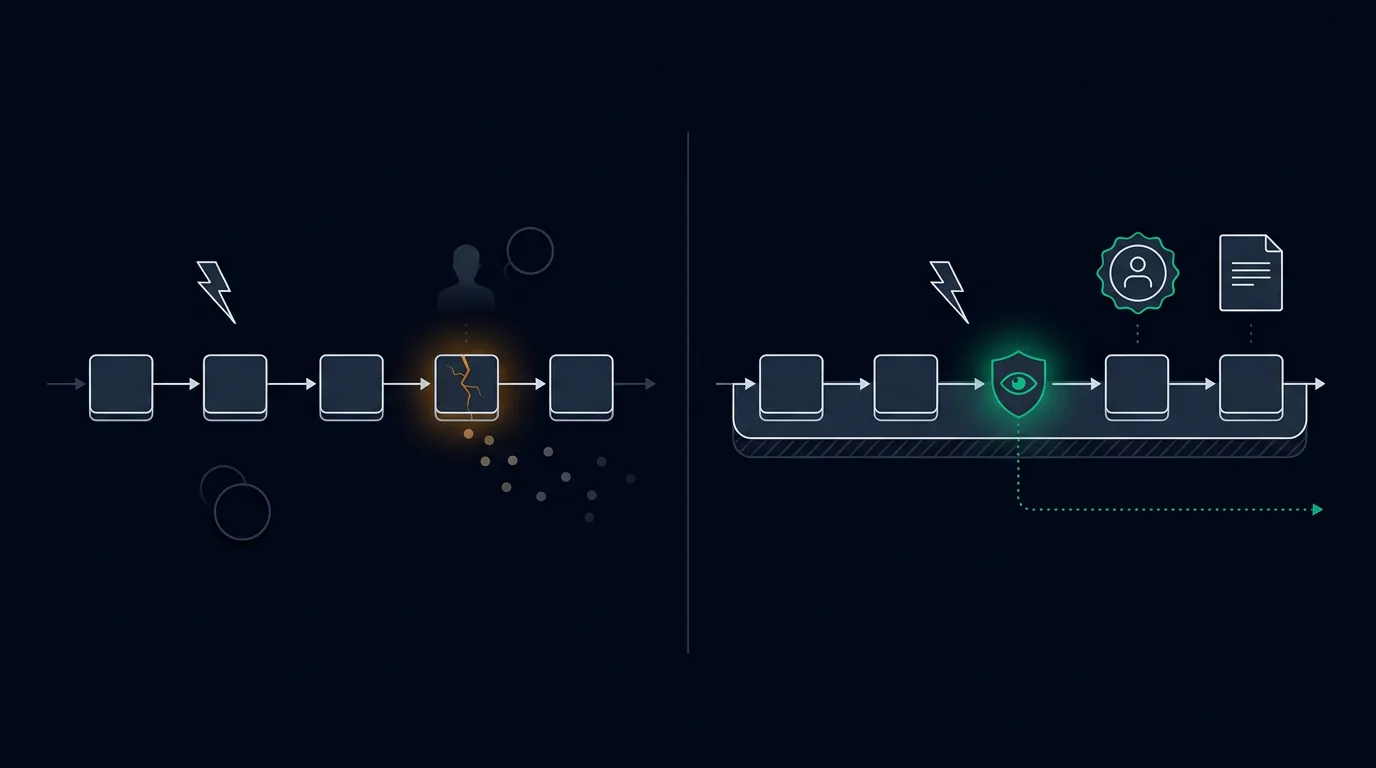
AI does not automatically improve this. An agent that receives raw customer data from several uncontrolled sources can sound convincing and still reach the wrong conclusion. A tool with write access can change a record that should have been reviewed by a person first. OWASP lists prompt injection and excessive agency as real risk categories for LLM applications. For legacy systems, the lesson is direct: do not let agents reach into fragile cores just because the interface is old.
Governance makes the need more concrete. Data protection principles such as purpose limitation, data minimization, and confidentiality require clear data flows. The EU AI Act, NIS2, and customer audits increase pressure to show inventories, ownership, logs, and human oversight. This is not legal advice and not a compliance guarantee. It is practical operating logic: if you cannot say what an agent reads or what action it triggers, you cannot responsibly operate the process.
Why Full Replacement Is Often The Wrong First Move
Full replacement sounds clean. New system, new data model, new interface, old problems gone. In practice, it often turns into a feature parity project: every exception, old rule, special price, historical form, and informal check has to be understood before the cutover is safe. Meanwhile, the business continues to run.
The Strangler Fig pattern gives teams a more sober option. AWS describes it as incremental migration of monolithic applications, especially where a big-bang approach is risky because of size, complexity, or disruption. Microsoft describes a facade or proxy that routes requests between old and new systems while the existing application keeps functioning. The idea is simple: do not replace everything at once. Build a boundary, extract one slice, test it, then expand.
For SMEs and lean operating teams, this is valuable because it reduces risk without accepting stagnation. You keep the business core where it is still reliable. At the same time, not every new requirement has to be pushed directly into the old system. The bridge is not an excuse to keep bad systems forever. It is a learning instrument: Which data is reliable? Which actions need review? Which workflows deserve deeper replacement later? Which parts should simply be left alone?
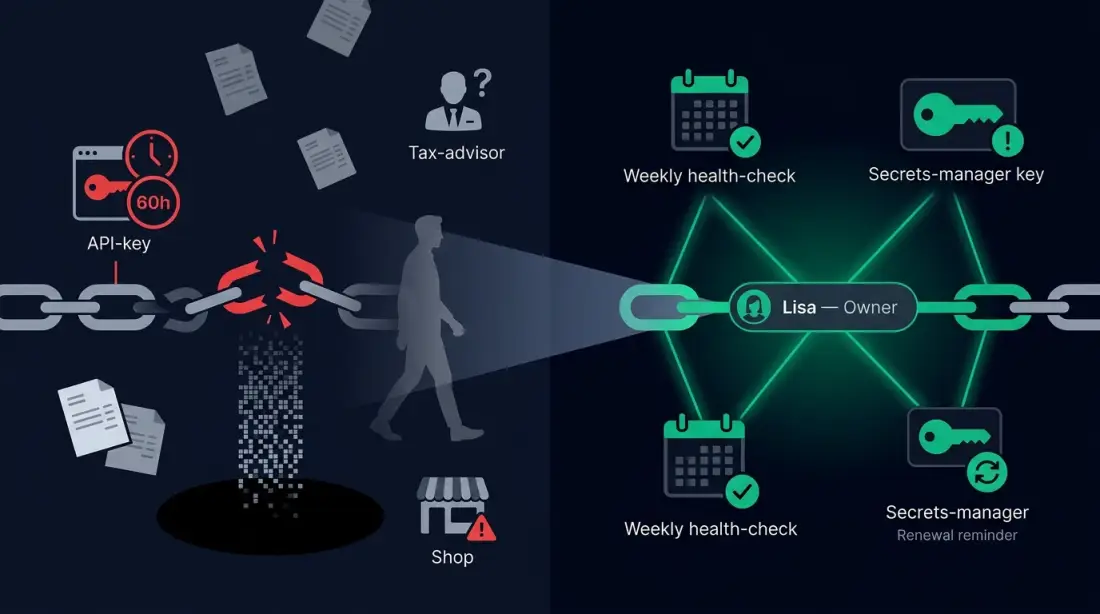
The boundary still has to be engineered. AWS names unclear domains, missing code access, data consistency, proxy failure, and performance as real considerations. A bridge can reduce cutover risk only when ownership, monitoring, failure paths, and rollback are designed into it. Otherwise, it becomes one more integration layer that nobody operates.
What The AI Agent Bridge Looks Like
The AI Agent Bridge starts with the boundary, not the model. Which data may an agent read? Which sources are approved? Which action may it propose but not execute? Which change needs human approval? Which logs need to explain later why a suggestion was made?
Technically, the bridge can take several forms: a controlled export, an API wrapper, a database query through a restricted interface, a webhook, an n8n workflow, or a small custom service layer. n8n, for example, supports HTTP requests to REST APIs, webhooks as triggers, database operations for MySQL and Postgres, and human-in-the-loop steps for AI tool calls. That does not make n8n magic or automatically suitable for every old system. It shows that an orchestrated bridge layer is realistic when the interfaces are deliberately constrained.
Read First, Write Later
The safest start is almost always read-only. An agent can summarize approved customer records, identify missing quote fields, draft an internal follow-up, or prepare a task. Writes into ERP, accounting, customer systems, or contract-relevant fields should come later, with approval, logging, and a fallback path.
From Legacy Data To Digital Headquarters Context
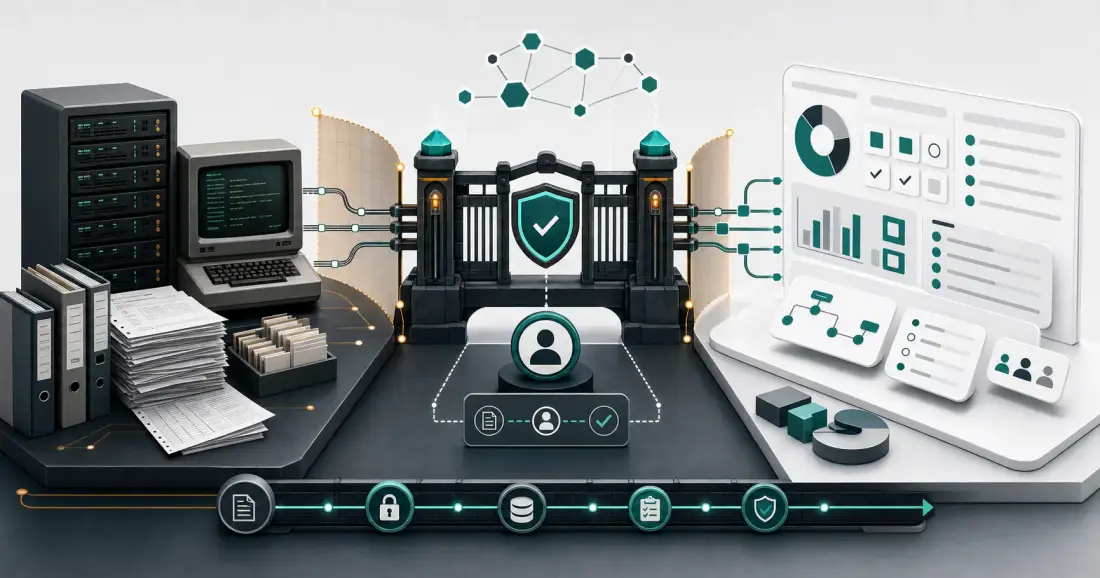
The bridge does more than translate data formats. It translates operations. Old tables, exports, and API responses become status views, tasks, drafts, escalations, and decision inputs. A Digital Headquarters emerges when the workflow is visible: source, state, owner, next step, exception, and history.
The diagram below shows the operating model: the legacy core on the left, a controlled interface and orchestration layer in the middle, then agent support, human approval, logs, and Digital Headquarters output on the right. The direction matters. The agent receives governed context. It does not get free access to everything that grew over the years.
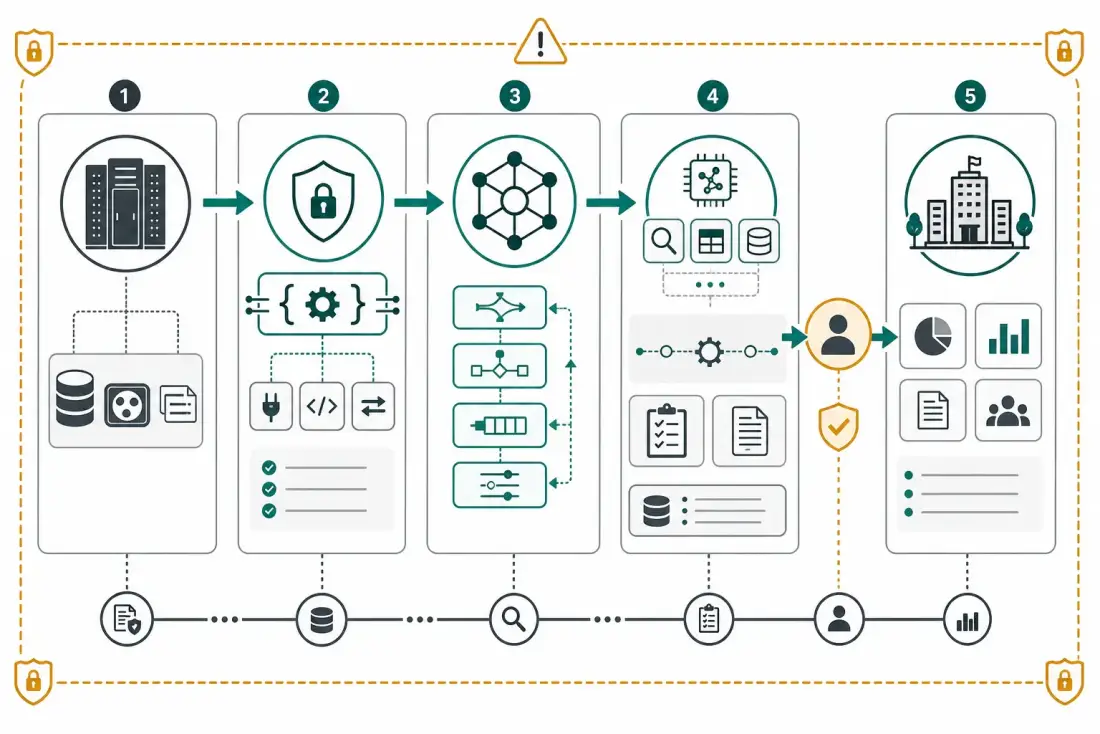
Retrieval or RAG can help query approved knowledge sources. It does not fix bad data, unclear permissions, or missing ownership. A bridge becomes reliable only when the team knows which source leads, who reviews exceptions, and how errors become visible.
Example: A Controlled Bridge For Quote Work
Consider a DACH service company. Requests arrive by email. Customer terms and historical conditions live in the old ERP. Material availability comes from an export file. Sales prepares a quote from a template, asks internal questions, sends the answer to the customer, and updates status in two places. This is not a Planfold customer case. It is an illustrative scenario.
An AI Agent Bridge would not start by replacing the ERP. It would bound the workflow. Intake through inbox or form. Classification of the request. Read access to approved customer and product data. Check for missing required fields. Draft an internal quote checklist or reply. Human approval before external send. Log source references, decision, and correction. Update task status only through a controlled path.
The difference from shadow work is not that AI appears everywhere. The difference is ownership. The workflow has an owner. The data sources are named. The AI output is a suggestion, not a hidden system change. Errors are visible in logs. The next improvement can be derived from corrections.
That proof does not claim the exact quote scenario above. It shows the relevant capability: building workflows that can be monitored, documented, and improved. That is what matters when a legacy core must be protected and made more useful at the same time.
How Planfold Applies Plan, Unfold, Resonate
Planfold starts with the workflow, not the tool. In the Plan phase, we map which systems are involved, which data classes appear, who makes decisions, where people copy manually, which actions are risky, and which first workflow has enough upside with manageable risk. The output is not a thick strategy document. It is an operating map.
In the Unfold phase, the smallest reliable bridge is built. That may be an n8n workflow, an API wrapper, a restricted database read, a review step, a monitoring hook, or a combination. The important point is that permissions, logs, failure paths, and manual alternatives are part of the design from day one.
In the operating phase, the bridge improves. Which fields are often missing? Which suggestions get corrected? Where does waiting time appear? Which exception needs a rule? Which legacy function is now only ballast and can be replaced later? The Digital Headquarters grows as an operated workflow, not as a single transformation event.
The care-free package does not mean giving up control. It means Planfold leads planning, implementation, operations, monitoring, and improvement while your exit key stays visible: documentation, data flows, workflow definitions, code, and export paths. Convenience comes first; sovereignty remains the insurance behind it.
Which Workflow Should Be Bridged First
A good first candidate is frequent, bounded, and painful. It has a clear owner, a reasonably trusted source, repeated steps, and an existing habit of human review. Inquiry triage, quote preparation, support classification, status reporting, data reconciliation, internal knowledge lookup, and recurring handoffs are often better first candidates than core transactions.
A bad first candidate is irreversible, legally sensitive, or unclear. Payroll changes, legal decisions, unattended customer commitments, financial approvals, contract changes, or workflows without a trusted source of truth should not come first. AI may support those areas later, but only after boundary, approval, and ownership are clear.
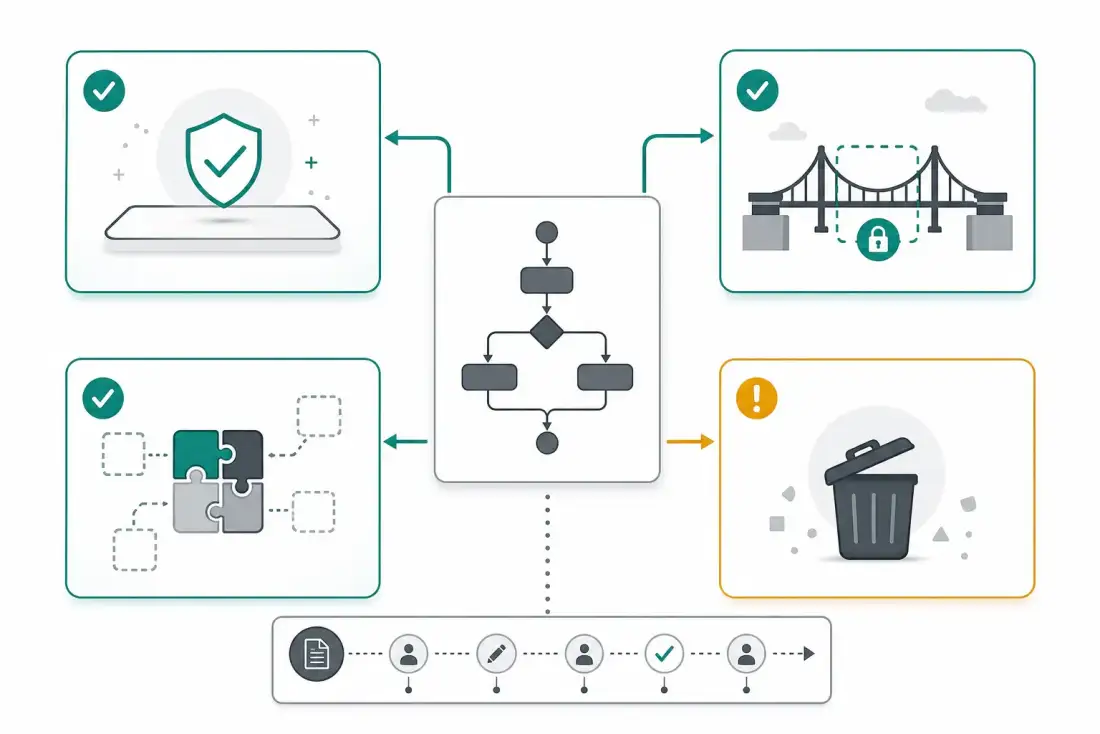
The central question is not which tool looks modern. The central question is which workflow can produce less manual drag tomorrow without putting the business core at unnecessary risk. Once that is answered, technology choices become easier.
The Practical Next Step
Choose one legacy workflow that hurts often enough to matter but is small enough to understand completely in two weeks. Write down intake, data sources, owner, risky actions, manual copies, approvals, errors, fallback, and desired outcome. Then you are not making an abstract decision about "legacy modernization." You are deciding concretely: leave it alone, wrap it with a controlled bridge, replace it selectively, or retire it.
The AI Agent Bridge is not a promise that old systems suddenly become modern. It is a way to protect the valuable part of the old core while operating the surrounding workaround better. Plan. Unfold. Stay sovereign.