The 15-Hour Week: A Practical Automation Planning Model
Repetitive work can quietly consume hours every week. Use this 15-hour planning model to identify automation opportunities, estimate savings, and decide what to automate first.

Contents
Repetitive work can quietly consume hours every week. Use this 15-hour planning model to identify automation opportunities, estimate savings, and decide what to automate first.
Share this article
The Number That Should Make Every Business Leader Look Closer
Fifteen hours is not a universal benchmark. It is a practical warning threshold for a time audit: if repetitive, manual work across a role or team adds up to this level, automation deserves serious attention.
In a 40-hour workweek, 15 hours is 37.5% of one person's weekly capacity. That can disappear into data entry, report generation, email routing, approval chains, status updates, and other tasks that move information around without adding much strategic value.
If you're a business owner or manager, you've probably accepted some of this as "just how things work." The thing is, it doesn't have to. Even a few recovered hours can be redirected toward work that actually moves your business forward.
This isn't about replacing people. It's about freeing them.
The Hidden Time Audit: Where Your Hours Really Go
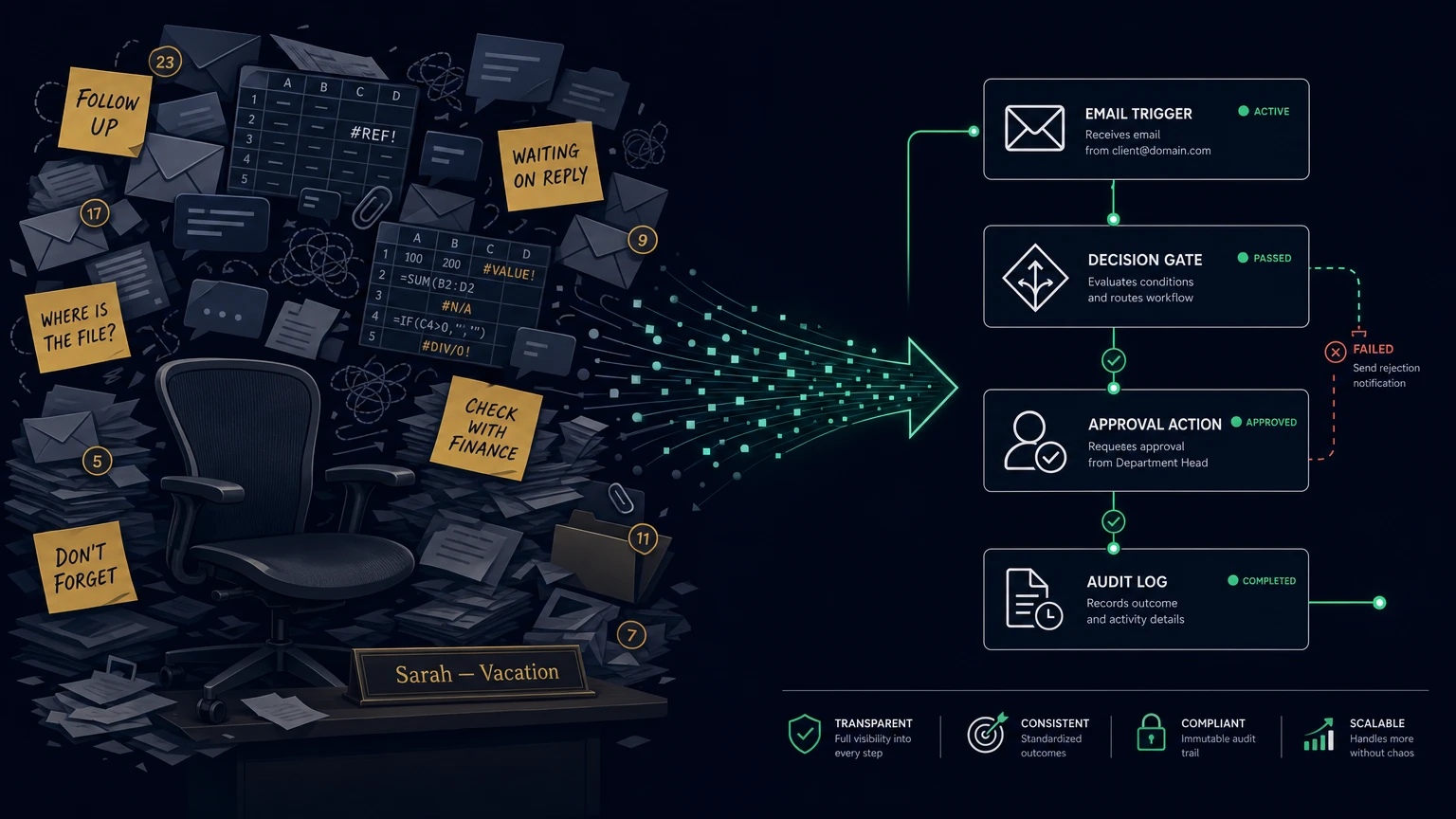
Most businesses don't track time waste because it hides in plain sight. It's distributed across dozens of small tasks, each taking just a few minutes. But those minutes compound.
Common time sinks in small and medium businesses, using planning ranges you can validate against your own time audit:
| Task | Time Spent (Weekly) | Automation Potential |
|---|---|---|
| Manual data entry between systems | 3-5 hours | High |
| Creating and sending routine reports | 2-3 hours | High |
| Following up on outstanding invoices | 2-4 hours | High |
| Routing emails to the right person | 1-2 hours | Medium |
| Scheduling and calendar coordination | 2-3 hours | Medium |
| Updating multiple systems with the same information | 2-4 hours | High |
| Generating quotes and proposals | 1-3 hours | Medium |
The pattern is consistent: most repetitive work involves moving information from one place to another. That's exactly what automated workflows do best.
A Representative Example
Consider a 12-person consulting firm that maps client onboarding and finds 18 hours per week going into repeatable coordination: collecting information, setting up project folders, sending welcome emails, scheduling kickoff calls. If automated workflows reduce that to 2 hours of human oversight, the model shows 16 hours per week available for billable client work.
The Business Case for Automation
Automation skeptics often point to the upfront cost. The math tells a different story.
The Cost Calculation
An illustrative scenario for planning:
| Factor | Value |
|---|---|
| Employees affected by repetitive tasks | 5 |
| Average hourly cost (salary + overhead) | €45 |
| Hours spent on automatable tasks per week | 12 hours per employee, based on an internal time audit |
| Total weekly cost | €2,700 |
| Annual cost of manual processes | €140,400 |
Now compare that to automation costs:
| Automation Investment | Cost |
|---|---|
| Initial workflow analysis and setup (3 core workflows) | €1,500 |
| Monthly hosting and maintenance | €49/month |
| First year total | €2,088 |
| Ongoing annual cost | €588 |
The Break-Even Point
Using the costs above, if automation recovers just 1.5 hours per employee per week, the investment pays for itself in the first month.
At 5 hours recovered per employee per week in this model, you're looking at:
- €4,500 saved monthly
- €58,500 saved annually
- Approx. 28x first-year recovered-labor value compared with the modeled automation cost
The exact result depends on process volume, exception rates, tooling, and adoption. Use the calculation as a decision model, then replace the assumptions with your own measurements.
Three Scenarios: Automation in Practice
The following scenarios are examples, not guarantees. The savings assume stable process volume, clean input data, working integrations, and a workflow where exceptions still go to a person.
Scenario 1: Invoice Processing
Before Automation:
- Employee receives invoice via email
- Manually enters data into accounting system
- Cross-references with purchase order
- Routes for approval
- Follows up if approval is delayed
- Marks as paid in multiple systems
Time per invoice: 15-20 minutes Invoices per month: 150 Monthly time spent: 37-50 hours
After Automation:
- Invoice arrives, system extracts data automatically
- Matching algorithm checks against purchase orders
- Under-threshold invoices auto-approve
- Over-threshold invoices route to appropriate manager with context
- Payment triggers automatic updates across all systems
- Exceptions flagged for human review
Time per invoice: 2 minutes (human oversight only, after setup and exception rules) Monthly time spent: 5 hours Time recovered: 32-45 hours monthly
Business impact: Your finance team processes invoices faster, catches errors automatically, and spends their time on financial analysis instead of data entry.
Scenario 2: Customer Onboarding
Before Automation:
- Sales rep sends contract manually
- Customer signs, emails back
- Rep creates account in CRM
- Rep creates project folder
- Rep sends welcome email with next steps
- Rep schedules kickoff call
- Rep adds customer to mailing list
- Rep sets up billing
Time per customer: 2-3 hours New customers per month: 20 Monthly time spent: 40-60 hours
After Automation:
- Contract sent via automated system with tracking
- Signature triggers account creation in CRM
- Project folder structure auto-generated
- Welcome email sent with personalized onboarding timeline
- Customer self-schedules kickoff call via calendar link
- Mailing list and billing setup triggered automatically
Time per customer: 20 minutes (human touchpoints only, assuming a standard onboarding checklist) Monthly time spent: 6.5 hours Time recovered: 33-53 hours monthly
Business impact: Customers experience a professional, consistent onboarding process. Your team focuses on relationship-building instead of administrative tasks.
Scenario 3: Report Distribution
Before Automation:
- Team members compile data from multiple sources
- Manager reviews and formats report
- Report emailed to stakeholders
- Follow-up emails for missing recipients
- Manual tracking of who received what
Time per report: 3-4 hours Reports per month: 8 Monthly time spent: 24-32 hours
After Automation:
- Data pulled automatically from connected systems
- Report generated at scheduled intervals
- Distributed to stakeholder list with delivery confirmation
- Archive maintained automatically
- Exceptions and anomalies flagged for review
Time per report: 15 minutes (review only, assuming connected source systems) Monthly time spent: 2 hours Time recovered: 22-30 hours monthly
Business impact: Stakeholders get consistent, timely reports. Your team stops chasing data and starts acting on insights.
The Self-Hosted Advantage: Why Not Zapier or Make?
Popular automation platforms like Zapier and Make offer quick setup and extensive integrations. But they come with trade-offs that matter for businesses serious about data sovereignty.
The Vendor Dependency Problem
| Factor | Cloud Automation Platforms | Self-Hosted Automation |
|---|---|---|
| Data routing | Through third-party servers | Stays in your infrastructure |
| Pricing model | Per-task pricing, unpredictable | Fixed monthly cost |
| Vendor lock-in | Workflows tied to platform | Portable, standard formats |
| Data privacy | Subject to provider's jurisdiction | Subject to your jurisdiction |
| Customization | Limited to supported integrations | Full flexibility |
The Cost Comparison
A mid-sized business processing 50,000 automated tasks monthly:
| Platform | Monthly Cost |
|---|---|
| Zapier (Professional plan) | €449 |
| Make (Core plan) | €299 |
| Self-hosted automation | €49 |
Annual difference: €3,000-€4,800 saved with self-hosted solution.
The Sovereignty Factor
When your automated processes handle customer data, financial information, or internal communications, that data flows through your automation platform. With cloud platforms, you're trusting a third party with every piece of information that moves through your workflows.
Self-hosted automation means:
- Data never leaves your infrastructure
- No third-party access to process logic
- Full audit capability on every workflow execution
- GDPR compliance by design: data stays in EU jurisdiction
This isn't about paranoia. It's about control. When you know exactly where your data goes and who can access it, compliance becomes simpler and risk becomes manageable.
Getting Started: A Practical Roadmap
You don't automate everything at once. Start with the highest-impact processes and build from there.
Step 1: Identify
Track where your team spends time for one week. Look for:
- Tasks that happen the same way every time
- Tasks that move data between systems
- Tasks that require no creative judgment
- Tasks that cause bottlenecks
Step 2: Prioritize
Score each candidate process:
| Factor | Weight | Score (1-5) | Weighted Score |
|---|---|---|---|
| Time spent weekly | 3x | ||
| Error rate | 2x | ||
| Business impact | 2x | ||
| Automation complexity | 1x (inverted) |
Focus on processes with the highest weighted scores and lowest complexity.
Step 3: Implement
Start with 2-3 core workflows. Typical high-value candidates:
- Invoice processing
- Customer onboarding
- Report distribution
- Lead qualification
- Approval routing
Step 4: Measure
Track metrics before and after:
- Time spent on automated tasks
- Error rates
- Processing time
- Team satisfaction
Use this data to justify expansion and continuous improvement.
The Real Promise of Automation
Automation isn't about doing more with less. It's about doing the right things with the people you have.
When your team identifies 15 hours a week of automatable work, that number becomes a target for better process design. Every recovered hour can move back into work that requires human judgment, creativity, and relationship-building. That's the work that differentiates your business. That's the work your customers actually pay for.
The question isn't whether you can afford to automate. The question is whether you can afford not to.
Your Next Step
Start with a time audit. For one week, track where your team's hours actually go. You might be surprised by what you find.
If the numbers reveal automation opportunities, we can help you assess which processes make sense to automate first, and build workflows that keep your data under your control.
Ready to find your automation threshold? Get in touch for a confidential automation assessment.