The Integration Trap: How Your SaaS Stack Became a Liability
Brittle SaaS integrations slow teams and create hidden risk. Learn the costs of integration sprawl and how to regain control.

Contents
Brittle SaaS integrations slow teams and create hidden risk. Learn the costs of integration sprawl and how to regain control.
Share this article
The Monday Morning Surprise
It's 8 AM on Monday. Your operations team discovers that customer orders from the weekend haven't synced to the warehouse system. Three days of orders are sitting in a queue somewhere, invisible to the people who need to fulfill them.
Your first instinct is to check the warehouse software. It's running fine. The e-commerce platform? Also fine. The CRM? No issues there either.
Then someone remembers: there's a Zapier workflow connecting the e-commerce platform to the warehouse system. It runs in the background. Nobody has touched it in eight months. The previous operations manager built it before leaving in January.
You check Zapier. The workflow shows a red error icon. The authentication token expired Saturday night. The workflow has been failing for 36 hours.
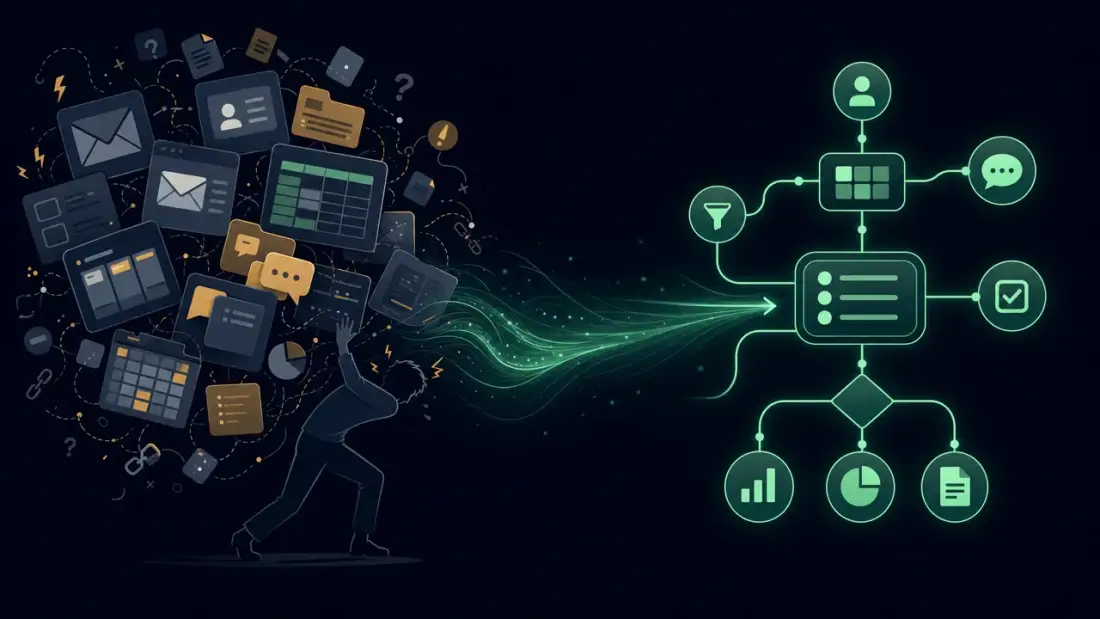
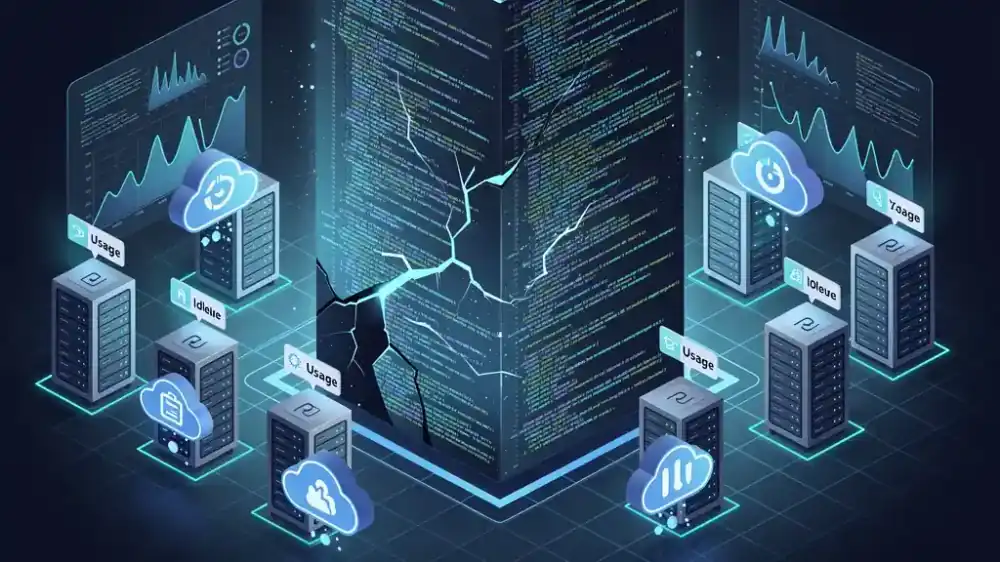
This is the integration trap. Not some dramatic system crash, but a slow-motion failure happening in the gaps between your tools. The connections meant to make work easier have become invisible dependencies that break without warning.
What the Integration Trap Really Is
Most businesses didn't set out to build fragile integration webs. They wanted to solve specific problems.
The sales team needed a CRM, so you bought Salesforce. Marketing needed email automation, so you added HubSpot. Finance needed better reporting, so you connected NetSuite. Each tool solved a real problem. Each integration felt like a small victory.
But integrations compound. One connection becomes three. Three becomes twelve. Twelve becomes fifty. Somewhere along the way, you crossed a threshold. The maintenance burden of keeping everything connected now exceeds the value those connections create.
The integration trap has three stages:
Stage 1: The Honeymoon. Every new integration feels like progress. Data flows automatically. Manual work disappears. The team celebrates.
Stage 2: The Complexity Ceiling. You've got twenty integrations running. Some were built by consultants who moved on. Some were built by employees who left. Nobody has a complete inventory. When something breaks, you only discover the integration exists because it stopped working.
Stage 3: The Crisis. A critical workflow fails during your busiest season. The person who built it is gone. The documentation doesn't exist. You spend three days troubleshooting instead of serving customers.
Most companies sit somewhere between Stage 2 and Stage 3. They just don't know it yet.
The Sprawl By The Numbers
This is the scale of the problem.
According to BetterCloud's 2025 State of SaaS trends summary, based on a survey of about 600 IT professionals, the average company now runs 106 SaaS applications. That's down from 112 in 2023, which sounds like progress until you learn why: the same summary describes a slower consolidation rate, dropping from 14% year-over-year to 5%.
Each of those 106 apps can potentially connect to dozens of others. A mid-sized company might have 50 to 200 active integrations. Some are managed by IT. Most aren't.
The IT teams responsible for this sprawl are stretched to breaking point. BetterCloud reports that the IT-to-employee ratio has climbed to 1:108, with each IT professional now supporting 108 employees. The same report excerpt highlights that excessive manual work keeps IT teams from strategic projects.
Meanwhile, Shadow IT is accelerating. Gartner's CISO research page says that by 2027, 75% of employees will acquire, modify, or create technology outside IT's visibility, up from 41% in 2022. These unsanctioned tools create integrations that IT doesn't know exist until they break.
Five Integration Anti-Patterns
Not all integration problems look the same. These are the five most common failure modes:
1. The Point-to-Point Web
Your e-commerce platform connects directly to your CRM. Your CRM connects directly to your accounting system. Your accounting system connects to your inventory management. Your inventory management connects back to your e-commerce platform.
You've built a web. Change any one tool, and you break multiple connections. There's no central hub. There's no map. The architecture is "spaghetti integration," and it's unmaintainable.
2. The Zombie Integration
It's running. It's processing data. But nobody owns it. The person who built it left two years ago. The documentation is a Postman collection on a former employee's laptop. It works until it doesn't, and when it breaks, nobody knows how to fix it.
3. The Shadow Integration
A marketing manager needed to sync webinar registrations to the CRM. IT said it would take six weeks. She built a Zapier workflow herself in twenty minutes. It runs perfectly. IT doesn't know it exists. When she leaves, the workflow keeps running on her credentials until her account is deactivated (if anyone remembers to check).
4. The Overprivileged Pipe
Your integration uses an API key with full administrative access because that was easier than requesting limited permissions. If that key leaks, an attacker has the keys to your kingdom. The Cloud Security Alliance's 2025 State of SaaS Security report says 56% of organizations report concerns about overprivileged API access, and 46% struggle to monitor non-human identities like service accounts and bot credentials.
5. The Brittle Bridge
The integration has no error handling. No retry logic. No monitoring. When the destination API is down, the integration fails silently. When the source data format changes, the integration breaks without warning. You only discover problems when downstream systems show incorrect data.

| Anti-Pattern | Warning Sign | Business Impact |
|---|---|---|
| Point-to-Point Web | Changing one tool breaks multiple workflows | High maintenance overhead, cascading failures |
| Zombie Integration | "I think Sarah built that" | Knowledge risk, bus factor of 1 |
| Shadow Integration | Unknown integrations discovered during incidents | Security gaps, compliance violations |
| Overprivileged Pipe | API keys with admin access in shared docs | Security breach risk, data exposure |
| Brittle Bridge | Silent failures, data corruption | Bad decisions based on wrong data |
The Hidden Cost Model
This is what it really costs.
The Scenario: A mid-sized professional services company with 80 employees. They have "just 12 critical integrations" connecting their core systems. Nothing fancy. Standard stuff. The numbers below are an illustrative planning model, not a benchmark claim.
The Reality:
Engineering Time: Your two-person IT team spends 40% of their time troubleshooting integrations. That's 0.8 full-time equivalents at €70,000 per year each. Annual cost: €56,000.
Downtime Incidents: You have three integration failures per year that disrupt operations for at least one business day. Lost billable hours: approximately €12,000 per incident. Annual cost: €36,000.
Security Response: One integration-related security incident requiring external forensics. Average cost for small-to-mid businesses: €15,000.
Compliance Gaps: You can't produce a complete data flow map for your SOC 2 audit. The auditor finds three unmonitored integrations moving customer data. Remediation and extended audit scope: €8,000.
Opportunity Cost: Your IT team spends 40% of their time on maintenance instead of strategic projects. The automation project that would save 20 hours per week sits in backlog. Delayed value: €25,000 annually.
Total Annual Cost: €140,000
That's not software licensing. That's the tax you pay for integration brittleness. And you're not alone: BetterCloud reports that 40% of organizations still track renewal dates manually in calendars or spreadsheets.
The Failure Cascade
Small integration failures don't stay small. They cascade.
Example: The API Deprecation Disaster
Your CRM vendor deprecates an API endpoint. They sent email notifications. The email went to the consultant who built the integration. The consultant moved on. Nobody else was on the mailing list.
Three months later, the old endpoint shuts down. Your CRM-to-accounting integration fails. Sales data stops flowing to finance. Month-end close can't complete. Finance manually reconstructs three months of revenue recognition. The audit is delayed. The board presentation is postponed.
One deprecated endpoint. Six-figure impact.
Example: The Authentication Expiration
An OAuth token expires over the weekend. The integration between your project management tool and time-tracking system stops syncing. Monday morning, consultants log time against projects that don't exist in the billing system. Invoices can't be generated. Cash flow is delayed.
Nobody notices until the billing cycle. By then, you've got two weeks of uncaptured time entries to reconstruct manually.
Example: The Rate Limiting Cascade
Your inventory sync script hits API rate limits during Black Friday traffic. The sync stops. Inventory levels become stale. Your e-commerce platform shows products as available that are actually out of stock. Customers place orders you can't fulfill. Support tickets spike. Reputation damage.
All because an integration script had no backoff logic.
Integration Architecture: What Good Looks Like
The failures we've discussed aren't inevitable. They're architecture problems. And architecture problems have architecture solutions.
This is what the integration trap looks like from a technical perspective, and what better alternatives look like.
The Point-to-Point Anti-Pattern
Most integration traps start here:
Point-to-Point Integration Web (The Trap)
├── CRM → Accounting (direct API call)
├── CRM → Marketing (direct API call)
├── E-commerce → CRM (direct API call)
├── E-commerce → Inventory (direct API call)
├── Inventory → Accounting (direct API call)
├── Support → CRM (direct API call)
└── ... and 15 more direct connections

Problems:
- Change one system, break multiple integrations
- No central visibility or control
- Each connection has its own authentication, error handling, retry logic
- Knowledge siloed in whoever built each connection
This is the architecture that creates the integration trap. It works at small scale (2-3 systems) and then collapses under its own weight.
The Hub-and-Spoke Pattern
Better architecture moves the complexity to a central hub:
Hub-and-Spoke Integration (iPaaS Pattern)
├── API Gateway / Integration Platform (The Hub)
│   ├── Authentication management (OAuth, API keys)
│   ├── Rate limiting and throttling
│   ├── Error handling and retry logic
│   ├── Dead letter queues for failed messages
│   ├── Monitoring and observability
│   └── Transformation layer (data mapping)
├── Spokes (Your Systems)
│   ├── CRM (connects only to hub)
│   ├── Accounting (connects only to hub)
│   ├── E-commerce (connects only to hub)
│   ├── Inventory (connects only to hub)
│   ├── Marketing (connects only to hub)
│   └── Support (connects only to hub)

Benefits:
- Each system has one connection to manage
- Change data format in one place (the hub)
- Centralized monitoring and error handling
- Security credentials managed centrally
- New system? One integration, not N integrations
The hub handles complexity so your business systems don't have to.
Integration Pattern Comparison
| Pattern | Best For | Complexity | Maintainability | Scalability |
|---|---|---|---|---|
| Point-to-Point | 2-3 systems, simple data | Low initial, high long-term | Poor | Linear degradation |
| Hub-and-Spoke (iPaaS) | 5-50 systems, business logic | Medium | Good | Hub-limited |
| Event-Driven | High-volume, real-time needs | High | Excellent | Excellent |
| API Gateway | External access, security focus | Medium | Good | Horizontal scaling |
For most mid-sized companies escaping the integration trap, hub-and-spoke via an Integration Platform as a Service (iPaaS) or self-hosted equivalent is the pragmatic choice.
The Technology Stack
For those evaluating integration platforms, here's what to look for:
Core Components:
Modern Integration Platform Stack
├── Integration Layer
│   ├── Connectors (pre-built API adapters)
│   ├── Transformation engine (data mapping)
│   ├── Workflow orchestration
│   └── Business logic layer
├── Reliability Layer
│   ├── Message queues (RabbitMQ, Apache Kafka)
│   ├── Retry logic with exponential backoff
│   ├── Dead letter queues
│   └── Circuit breakers (fail fast when downstream is down)
├── Security Layer
│   ├── Credential vault (HashiCorp Vault, AWS Secrets Manager)
│   ├── API key rotation
│   ├── OAuth token management
│   └── Audit logging
└── Observability Layer
    ├── Integration health dashboards
    ├── Error alerting (Slack, PagerDuty)
    ├── Data lineage tracking
    └── Performance metrics
Platform Options:
- Enterprise iPaaS: MuleSoft, Boomi, Workato, Microsoft Azure Logic Apps
- Mid-Market: Zapier (Teams/Business), Make, n8n (self-hosted)
- Open Source/Self-Hosted: n8n, Apache Airflow, Node-RED
- API Gateways: Kong, Tyk, AWS API Gateway, Azure API Management
Migration Strategy: The Strangler Fig Pattern for Integrations
You don't migrate from point-to-point to hub-and-spoke in a big bang. You do it incrementally.
Phase 1: Map and Inventory (Weeks 1-2) Document every existing integration. Who owns it? What data flows? How critical is it?
Phase 2: Platform Selection (Weeks 3-4) Choose an iPaaS or build an API gateway. Criteria: connectors for your existing systems, observability, security model, and whether self-hosted options align with your data sovereignty requirements.
Phase 3: Extract First Integration (Weeks 5-8) Pick one low-risk, high-value integration. Move it from point-to-point to the hub. Keep the old integration running in parallel. Validate data accuracy. Cut over when confident.
Phase 4: Iterate (Ongoing) Extract one integration at a time. Each extraction reduces the web's complexity. Over months, the point-to-point mess shrinks while the hub-and-spoke architecture grows.
Phase 5: Decommission (Ongoing) Remove the old point-to-point connections as they become redundant. Eventually, your integration architecture is clean, monitored, and maintainable.
This is the same Strangler Fig Pattern we recommend for monolith-to-microservices migrations. It works because it lets you modernize while you operate.
The AI Multiplier Effect
There's a complication. AI is making the integration problem worse, fast.
Battery Ventures' December 2025 State of Enterprise Tech Spending survey says 33% of enterprises already run agentic AI in production, while another 48% plan to deploy it within 12 months. The same survey says enterprises have identified an average of 88 Gen AI use cases.
Each use case requires new integrations. This rapid expansion often compounds existing technical debt, making future changes even more difficult.
AI needs to read from your CRM, write to your project management tool, query your database, and trigger actions in your accounting system. Every AI agent is a new integration point.
The security data is sobering: IBM's 2025 Cost of a Data Breach Report says 97% of organizations that reported AI-related security incidents lacked proper AI access controls, and 63% lacked AI governance policies for managing AI or preventing shadow AI. We're deploying AI tools that create integrations faster than we can secure them.
The Shadow Integration problem is also accelerating. No-code AI tools let business users build automations that connect systems IT has never approved. These integrations work perfectly until they don't. Then they become mysteries that take days to debug.
Business Consequences Beyond IT
The integration trap isn't an IT problem. It's a business problem.
Finance: Gartner's 2025 SaaS Management Platforms research is quoted by USU as warning that organizations without centralized SaaS lifecycle visibility will overspend by at least 25% through 2027 because of unused entitlements and overlapping tools. When you can't see your complete SaaS footprint because integrations obscure the boundaries, you pay for tools nobody uses.
Operations: Workflow failures directly impact customer delivery. When your order-to-fulfillment pipeline breaks, customers notice. When your support ticket routing fails, SLAs are missed. Integration brittleness becomes customer-visible brittleness.
Compliance: The Cloud Security Alliance reports that 63% of organizations see external data oversharing, while 55% say employees adopt SaaS tools without security involvement. Data flowing through unmonitored integrations can create GDPR, SOC 2, and industry-control gaps. When auditors ask for a data flow map and you can't produce one, the audit gets harder.
HR: Offboarding failures are integration failures. When an employee leaves and their API access isn't revoked because nobody knew they had built integrations under their account, you have a security liability. CSA also reports that 54% of organizations lack automation for lifecycle management, increasing the risk that orphaned accounts persist with active API access.
Legal: Data flows through unknown integrations create liability. If customer data moves through a tool you didn't approve, you have a GDPR problem. If proprietary data syncs to a personal Dropbox because someone built a shortcut integration, you have an IP leak.
Warning Signs: Is Your Organization Trapped?
Run through this checklist:
- IT spends more than 50% of time on maintenance vs. strategic projects
- You cannot produce a complete inventory of active integrations within one hour
- You don't know how many SaaS applications are in use across the organization
- "Mystery" workflow failures happen more than twice per quarter
- You cannot draw your integration architecture on a whiteboard
- API keys and credentials are stored in spreadsheets or shared documents
- Integration knowledge is concentrated in one or two people
- You have discovered "surprise" integrations during incident response
- Vendor API changes have broken critical workflows in the past year
- Shadow IT tools are known to exist but not cataloged
If you checked more than three boxes, you're in the integration trap.
The Path Out
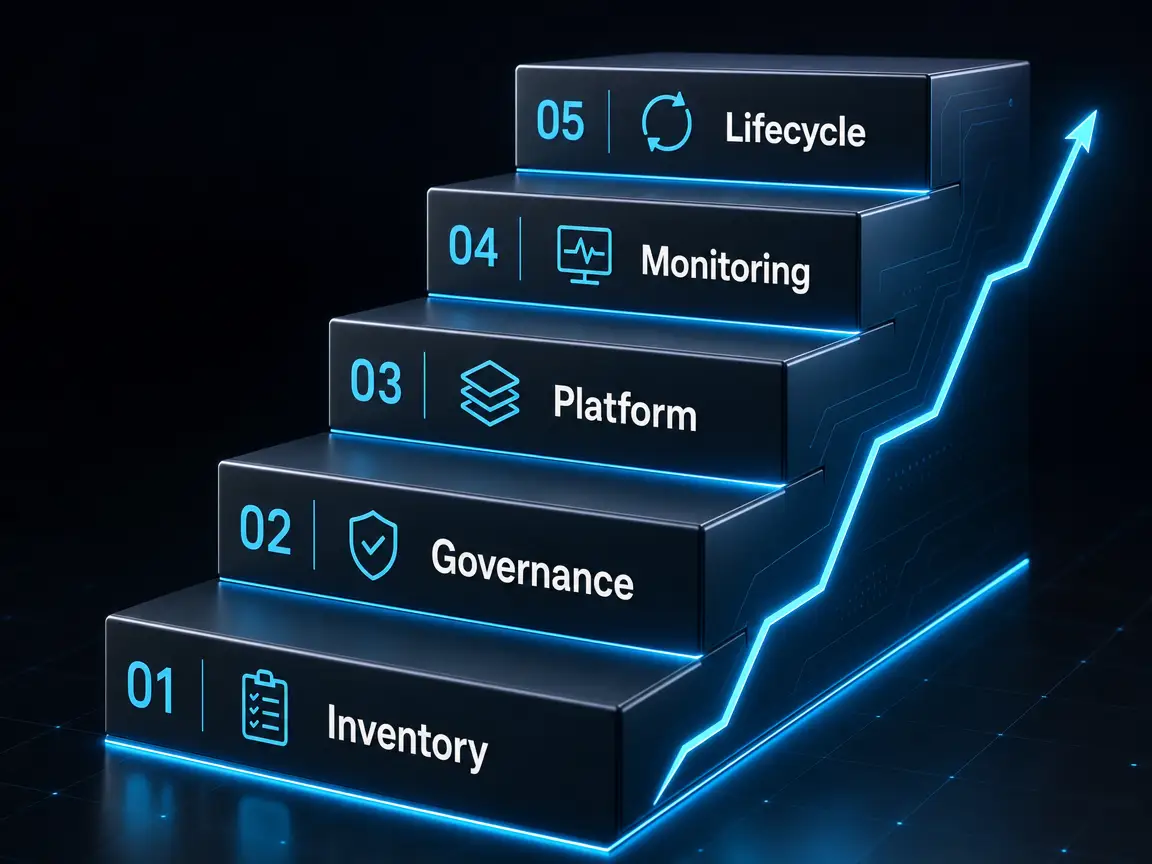
Escaping the integration trap requires strategy, not just fixes.
Step 1: Inventory
You can't manage what you can't see. Audit your SaaS footprint. Map your integrations. Document the business purpose, owner, and data flows for each connection. This is tedious work, but it's foundational.
Step 2: Governance
Establish integration standards:
- API access follows least-privilege principles
- Integrations require documentation and an owner
- Credentials are managed through a secrets manager, not spreadsheets
- Changes to integrations follow change management
Step 3: Platform Migration
Point-to-point integrations don't scale. Evaluate whether a centralized integration platform (iPaaS) or an API gateway makes sense for your complexity level.
The goal: reduce your 50 point-to-point connections to a manageable hub-and-spoke model.
Step 4: Monitoring
Integrations need observability. Every integration should have health checks, error alerting, and data quality monitoring. Silent failures are worse than loud failures because you make decisions on bad data.
Step 5: Lifecycle Management
Integrations have lifecycles. They're built, maintained, and retired. When an employee leaves, check for integrations they owned. When a vendor deprecates an API, update or replace the integration. When a tool is retired, disconnect its integrations.
Your Next Step
Start with one question: Can you produce a complete list of every integration running in your environment right now?
If the answer is no, you have work to do. The integration trap is real, it's expensive, and it's not going away on its own.
The companies that escape the trap do so deliberately. They invest in visibility, governance, and architecture. They treat integrations as business-critical infrastructure, not afterthoughts.
Want to know exactly where your integration risks are hiding?