
Publish website content through chat
Maintain website content through chat: a customer case with image preparation, optional approval, automated checks and publication.
Confidentiality note
The workflow comes from a website supported by Planfold. The name, website address and original messages remain anonymous. Illustrations show fictional jewellery and recreated interfaces.
Relevant service pages
Websites and modernisation / Workflows and automation
What this enabled
- A product entry is created from a photo and a short message.
- The customer receives a product link after publication.
- Personal approval can be added according to customer requirements.
Contents
- Starting with a photo
- Turning a photo and message into a website entry
- What happens between chat and publication
- Preparing content and image
- Optional: review a preview and approve it
- Automated checks and website build
- Deployment and response
- Why publication can take several minutes
- Which website content can be maintained this way?
- Configuring publication for your website
A photo and a short message become a product entry
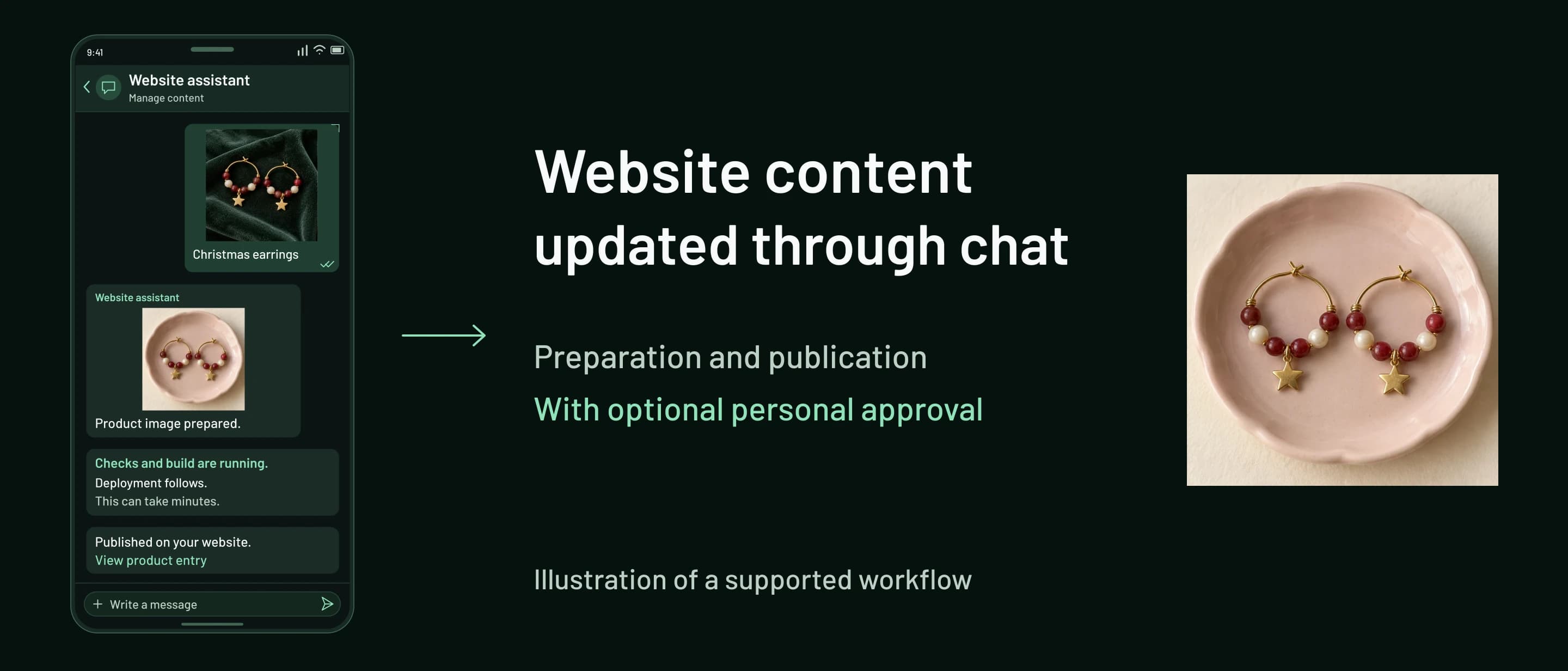
The customer sends a photo and the name of her earrings. The configured workflow prepares the entry, checks the change and publishes it on her website.
A new product, a text change or a recent photo: keeping a website up to date means being able to start these changes during the working day. With chat-based website maintenance, you send the content and your request through chat. A workflow configured for your website prepares the change and takes it through the agreed steps to publication.
Depending on the task, images are optimised, text is drafted and the required metadata is created. Personal approval can be added before publication. The supported content and required information are agreed for each website.
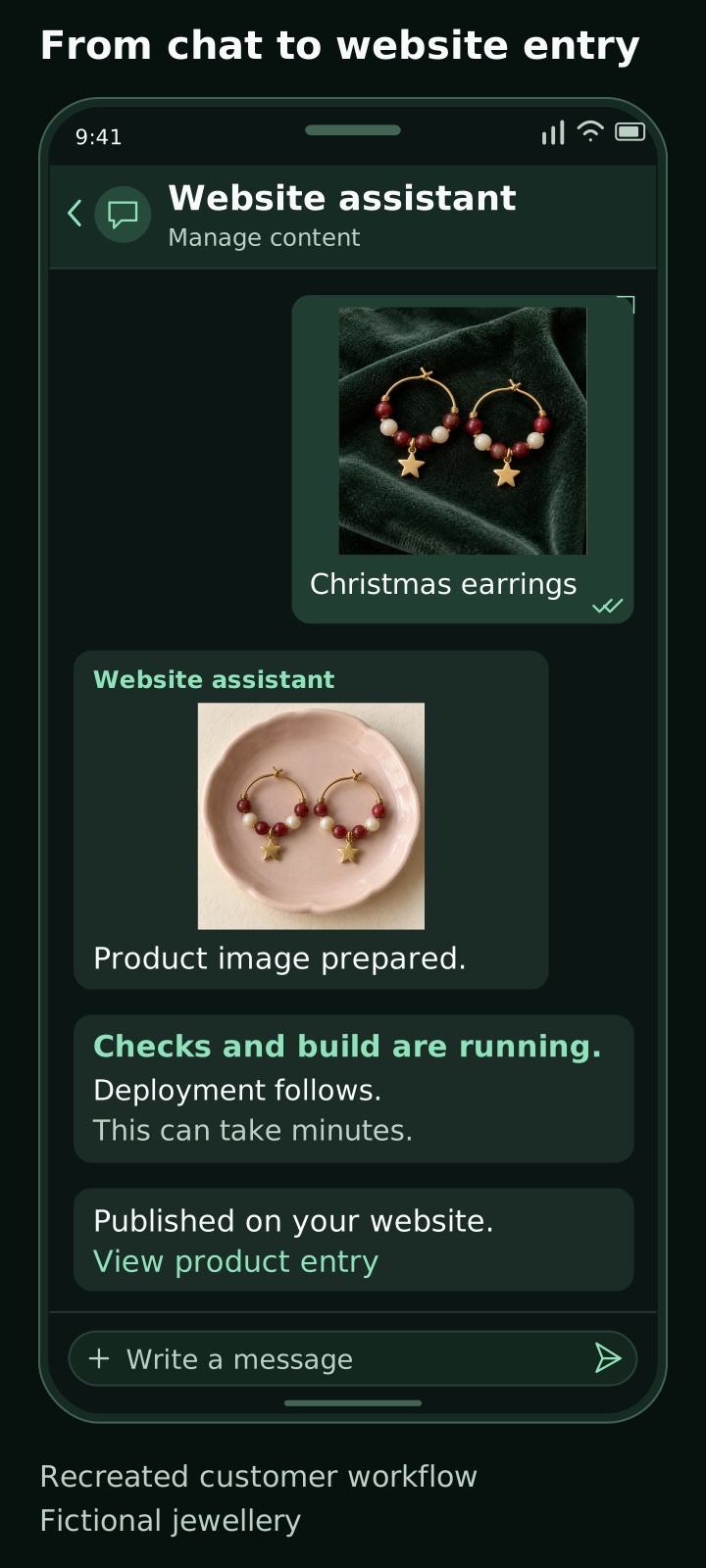
A jewellery website supported by Planfold shows how this works in practice. The customer sends a photo of her finished earrings with the words “Christmas earrings”. A new product entry is prepared. After image processing, technical checks and deployment, the product link comes back through chat. Several minutes can pass between the message and the visible result. The illustrations use fictional jewellery and recreated interfaces.
Starting with a photo
The original photo shows red and white earrings on green fabric. The customer adds a short description. Image and text give the configured workflow its reference to the new product. For this task, she does not open a website administration panel or assemble a product entry there by hand.
The information required and its presentation on the website are established when product maintenance is configured. In this case, the short message provides the input for the prepared workflow. Other content may require additional details.
Turning a photo and message into a website entry
After the submission, an edited product image appears in the conversation. In the real example, the earrings are presented on a pink surface. The customer can see the result in the same chat where she sent the original photo.
Image and product information are prepared for the website's product presentation. The short message is the input to a configured process. The website still needs suitable content and a technical publication step before visitors can see the new entry.
What happens between chat and publication
Planfold connected chat input to image preparation and the website's publication process. The task is split into steps whose completion means different things. Receiving a photo acknowledges its arrival. A prepared product image shows progress in processing. The visible website change comes at the end of the publication chain.
Preparing content and image
The photo and description are prepared for the product entry. Depending on the agreed workflow, suitable text and metadata are created for the website. The required fields are part of its configuration. The homepage demonstration, for example, shows a piece of furniture with a name, description and price. The jewellery case described here uses the short product description supplied in the chat.
Optional: review a preview and approve it
For businesses that want to review content themselves before publication, an approval step can be included in the chat. The sender receives the optimised image and prepared text and metadata for review. Only after their approval does the change proceed to technical checks and publication. Anything that needs changing is corrected before approval.
This variant has recently entered trials with the customer described here. The previously documented earring submission shows the workflow with automatic publication. The choice follows the customer's agreed requirements; personal approval is optional. The technical term is “human in the loop”: a person decides at this point whether the prepared content can proceed.
Automated checks and website build
The prepared change passes through a CI pipeline. CI stands for continuous integration. For this customer website, the following checks are part of the process before deployment:
- Lint checks the agreed code rules.
- Type checking verifies that the data types used fit together.
- Tests check the application cases defined for them.
- The package audit checks package versions and looks for known vulnerabilities in the dependencies.
The publication process also includes the website build. It produces the website version that is then made available. These steps serve a different purpose from preparing the image in the chat.
Checks, build and publication are separate steps. While processing is underway, a success message reporting an already visible website change would be premature. The technical state needs to match the response.
Deployment and response
Deployment follows the checks and build. It makes the change available on the website. In the documented conversation, the chat reports publication of the new piece and supplies its product link, giving the customer a direct route to the result.

Why publication can take several minutes
Image preparation, automated checks, the website build and deployment all take processing time. Sending the message starts this workflow. Publication follows once the required steps have completed. A workflow with personal approval also includes the wait for that approval.
The animated homepage example compresses the sequence from message through automation to the visible website entry. Its playback time is not a promised turnaround time. The illustrations in this article also show the sequence without implying publication within seconds.

Which website content can be maintained this way?
The product entry is one concrete example of chat-based website maintenance. New images, changes to existing text or product information can also be covered by a configured workflow. What matters is the content your website needs and the changes agreed for it. A short chat message provides the input otherwise entered in the website administration panel.
Content review depends on the subject. Jewellery colours, clasps and charms need to match the actual piece. For other content, prices, descriptions or assigning an image to the right entry may matter most. A technically successful publication alone does not confirm that these details are factually correct. An approval step lets the responsible person review the prepared result before publication.
Configuring publication for your website
For your website, planning begins with the content you want to update regularly. That determines the required information, its presentation on the page and the checks before publication. The setup also establishes whether suitable changes proceed automatically or first wait for your approval. Responses should make clear whether a change is still being processed or is already visible on the website.
The controlled software delivery case describes a different project in a larger technical environment. It explains the responsibilities of build, checks and deployment in more detail.
Discuss maintaining and publishing your website content with Planfold.
Implementation highlights
- Image and content preparation for agreed website fields.
- Automated checks, website build and deployment.
- An optional approval step before technical publication.
Why this should build trust
- The specific product entry was subsequently visible on the website.
- The checks before deployment are confirmed for this website.
- The additional personal approval step has recently entered trials with the customer.
Why this matters commercially
For your website, supported content, required details, approvals and publication are agreed together.
Keep exploring
Related case studies

Controlled Kubernetes Delivery Across Development, Staging, and Production
Anonymized implementation experience: controlling Kubernetes releases across development, staging and production with GitLab, Nexus3 and ArgoCD.
Commercial context
Buyers evaluating Kubernetes delivery modernization, GitOps operating models, or staged release control on self-managed infrastructure
Trust signal
Shows practical experience designing controlled Kubernetes delivery with artifact governance, staged promotion, and pragmatic cluster operations

Standardizing Infrastructure Operations Across Mixed Linux and Windows Environments
Anonymized implementation experience: organizing repeatable Linux and Windows administration with GitLab, Ansible and Semaphore.
Commercial context
Buyers evaluating how to reduce manual system administration and standardize infrastructure operations across mixed Linux and Windows environments
Trust signal
Shows practical experience turning recurring infrastructure work into a Git-governed, less person-dependent operating model